Every HR team in 2026 is dealing with the same contradiction. There’s more AI available than ever — and somehow, the admin work hasn’t stopped.
Deloitte research confirms that HR teams spend up to 57% of their time on repetitive administrative tasks. At the same time, only 19% of HR executives expect budget approval for additional headcount. The math doesn’t work — unless you start automating the right things.
This isn’t a “AI will transform HR” think piece. It’s 21 practical AI hacks for HR teams you can implement this week — organized by function, with real workflow examples and honest time estimates.
AI hacks for HR teams are practical workflow automations that use artificial intelligence to eliminate repetitive admin tasks across recruitment, onboarding, attendance tracking, employee engagement, and compliance. In 2026, the most effective HR automation hacks operate directly inside Slack and Microsoft Teams — where employees already work — rather than requiring separate portals or manual data entry. Teams that implement these workflows consistently report saving 5–15 hours per week in HR admin time.
TL;DR: HR teams that save the most time in 2026 aren’t using more tools — they’re automating the right workflows inside the tools they already have. These 21 hacks cover every major HR function, with practical setups you can start using immediately.
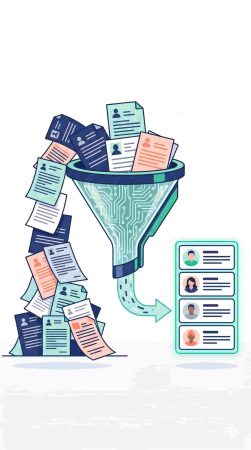
Section 1 — Recruitment and Hiring AI Hacks
Hack 1 — AI Resume Screening
The problem: Recruiters spend 5–10 minutes per resume manually. For a 200-applicant role, that’s 15–33 hours of screening time before a single interview is scheduled.
The AI workflow: Use an AI screening tool — built into platforms like Greenhouse, Workday, or standalone tools like Manatal — to filter applicants against a structured criteria list before human review. Feed it a scoring rubric: required skills, minimum experience, deal-breaker qualifications.
Example prompt for setup: “Screen applicants for a Senior Product Manager role. Required: 5+ years product experience, B2B SaaS background, experience with Agile. Dealbreaker: no demonstrated shipping experience. Score 1–10 and flag top 20%.”
Time saved: 8–12 hours per open role.
Why it matters: AI resume screening reduces time-to-hire by up to 45% — which directly affects how quickly you fill critical positions before candidates accept competing offers.
Hack 2 — AI Interview Scheduling
The problem: Coordinating interview slots between candidates and three interviewers across time zones takes an average of 4–6 email threads and two to three days.
The AI workflow: Connect your ATS to a scheduling tool like Calendly or GoodTime. Configure panel interview templates — interviewers, duration, buffer time — and let the tool handle all coordination automatically. The candidate receives a self-booking link. No email chains required.
Time saved: 45–60 minutes per candidate.
Why it matters: 60% of HR teams now use AI for interview scheduling, reducing scheduling time by 70% — meaning your team can run twice as many interview processes simultaneously.
Hack 3 — AI Job Description Generator
The problem: Writing a job description from scratch takes 45–90 minutes. Most descriptions get recycled from old postings that no longer reflect the role accurately.
The AI workflow: Use ChatGPT, Claude, or Gemini with a structured prompt that includes the role’s core responsibilities, team context, required skills, and tone preferences. Generate three variations, pick the strongest, and edit for specifics.
Example prompt: “Write a job description for a Customer Success Manager at a B2B SaaS company with 50 employees. The role owns post-onboarding relationships, drives renewal conversations, and collaborates with product on feedback loops. Tone: direct, modern, no jargon. Include a realistic day-in-the-life section.”
Time saved: 30–60 minutes per role.
Why it matters: Better job descriptions attract more relevant candidates — reducing screening volume on the back end.
Hack 4 — AI Candidate Outreach Sequences
The problem: Writing personalized outreach messages for passive candidates is time-intensive, and inconsistency kills response rates.
The AI workflow: Use Claude or ChatGPT to generate a three-message outreach sequence — initial contact, follow-up, final touch — personalized by role, company context, and candidate background. Feed it the candidate’s LinkedIn summary and the role’s value proposition.
Time saved: 20–30 minutes per candidate sequence.
Why it matters: Consistent, personalized outreach sequences convert passive candidates at significantly higher rates than generic templates.
Section 2 — Onboarding and Training AI Hacks
Hack 5 — AI-Generated Onboarding Checklists
The problem: Onboarding checklists are built once and never updated. New hires in different roles or locations get the same generic list that’s increasingly out of date.
The AI workflow: Use an AI tool to generate role-specific onboarding checklists from a structured input — role, team, location, tools used, key stakeholders. Feed it your existing handbook and let it produce a tailored 30-60-90 day plan. Tools like Notion AI or ChatGPT handle this well.
Time saved: 1–2 hours per new hire cohort.
Why it matters: Structured onboarding reduces time-to-productivity and directly affects 90-day retention rates.
Hack 6 — Automate Onboarding Reminders in Slack or Teams
The problem: HR manually chases new hires to complete compliance training, sign documents, and set up tools during their first two weeks.
The AI workflow: Set up a Slack workflow or Teams-based automation that sends pre-scheduled onboarding reminders at day 1, day 3, day 7, and day 14. Each message includes the specific task, the link, and a completion confirmation request.
Time saved: 30–45 minutes per new hire.
Why it matters: Automated reminders replace the most repetitive coordination task in onboarding without removing the human touchpoints that actually matter.
Hack 7 — AI-Powered FAQ Bot for New Hires
The problem: New hires generate a predictable flood of questions in their first two weeks — benefits enrollment, system access, expense submission, leave policies. HR answers the same questions on repeat.
The AI workflow: Build a Slack-native FAQ bot using OfficeAmp’s Smart QnA feature. Pre-load answers to the 20 most common new hire questions. When a new employee asks, the bot answers instantly without creating a ticket or interrupting HR.
Time saved: 2–3 hours per week across the team.
Why it matters: Faster answers improve new hire confidence and reduce the cognitive load of the first two weeks — directly affecting early engagement scores.
Hack 8 — AI Learning Path Generator
The problem: L&D teams build generic training paths that don’t reflect role-specific skill gaps.
The AI workflow: Use Claude or ChatGPT to generate a personalized learning path based on role, experience level, and identified skill gaps from the hiring process. Output a structured 90-day curriculum with specific resources, platforms, and completion milestones.
Time saved: 2–3 hours per learning path.
Why it matters: Role-specific learning paths accelerate skill development and signal genuine investment in the employee — which drives retention.
Section 3 — Attendance, PTO, and Scheduling AI Hacks
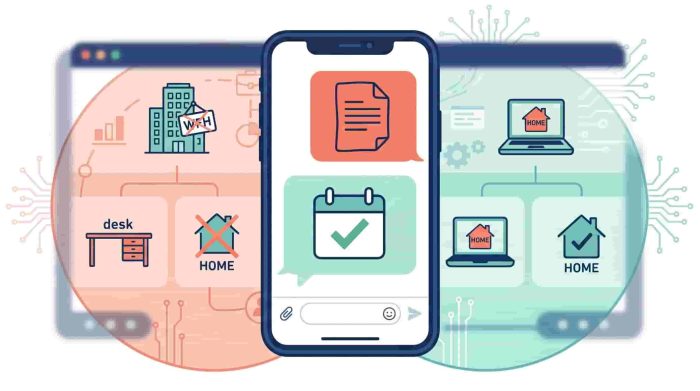
Hack 9 — Conversational PTO Requests in Slack
The problem: PTO requests submitted through a separate HR portal have low adoption. Employees delay submissions, HR chases approvals, and leave records lag behind reality.
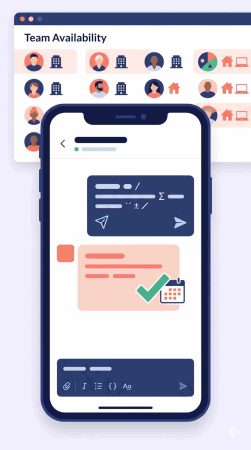
The AI workflow: AttendanceBot enables employees to request leave directly inside Slack or Microsoft Teams with a simple message. The request is automatically routed to the correct approver, leave balances are checked in real time, and the approval confirmation is sent back in Slack — no portal required.
Time saved: 15–20 minutes per leave request cycle across both employee and HR.
Why it matters: When leave requests happen where employees already work, submission rates increase and leave records stay accurate throughout the month. Read more about how this works in our Slack leave management guide.
Hack 10 — Automated Timesheet Reminders
The problem: HR admins manually chase employees who haven’t submitted timesheets before payroll deadlines — every single pay period.
The AI workflow: AttendanceBot sends automated timesheet reminders inside Slack or Teams at configurable intervals — 48 hours before deadline, 24 hours, day-of. Employees who have already submitted don’t receive the reminder. Only outstanding submissions get flagged.
Time saved: 1–2 hours per payroll cycle.
Why it matters: Automated reminders eliminate the most repetitive coordination task in payroll prep without creating the awkward dynamic of a manager manually chasing individuals. Learn more about effective timesheet reminders.
Hack 11 — AI-Powered Shift Scheduling
The problem: Shift scheduling for variable teams involves cross-referencing availability, leave requests, overtime limits, and coverage requirements — manually, every week.
The AI workflow: Use AttendanceBot’s shift scheduling features to automate schedule generation based on employee availability, contracted hours, and leave approvals. Schedules are published directly in Slack — employees receive their shift assignments without navigating a separate scheduling portal.
Time saved: 2–4 hours per scheduling cycle.
Why it matters: Automated scheduling reduces errors, eliminates coverage gaps, and gives employees earlier visibility into their schedule — which directly affects satisfaction for hourly and shift-based teams.
Hack 12 — Hybrid Attendance Coordination in Slack
The problem: Hybrid teams have no clear visibility into who’s in the office on which days — leading to employees commuting in for meetings that aren’t happening in person, or missing spontaneous collaboration opportunities.
The AI workflow: Use AttendanceBot’s hybrid status feature — employees set their daily status (in office, remote, on leave) through a Slack message each morning. Managers see a live team availability dashboard without sending a single “who’s in today?” message.
Time saved: 20–30 minutes per manager per week in availability coordination.
Why it matters: Real-time hybrid visibility enables meaningful in-person scheduling rather than mandating presence that produces coffee badging. See also our guide to software for hybrid teams.
Hack 13 — Automatic Leave Balance Notifications
The problem: Employees don’t check their leave balances proactively — and then submit large leave requests at year-end that create coverage problems.
The AI workflow: Configure AttendanceBot to send automatic leave balance summaries to employees at the start of each quarter — showing remaining days by leave type and flagging any balances that need to be used before the reset date.
Time saved: Eliminates the reactive leave scramble at year-end.
Why it matters: Proactive leave visibility helps employees plan time off in advance — improving coverage predictability for managers and reducing the unlimited PTO paradox where employees take less leave, not more, without clear balance information.
Hack 14 — Regional Holiday Syncing
The problem: Distributed teams manually maintain holiday calendars for multiple regions — and someone always gets a meeting scheduled on a public holiday in another country.
The AI workflow: AttendanceBot automatically syncs regional public holidays for the US, UK, Canada, Australia, and other markets — flagging upcoming holidays in Slack before scheduling conflicts occur.
Time saved: 30–45 minutes per month in manual calendar management.
Why it matters: Automatic regional holiday syncing is the invisible infrastructure that makes distributed teams feel considered rather than overlooked. Check our federal holidays 2026 guide for a full reference.
Section 4 — Employee Engagement and Culture AI Hacks
Hack 15 — AI-Generated Pulse Survey Questions
The problem: Engagement surveys use the same questions every quarter — employees stop answering honestly because the questions feel formulaic.
The AI workflow: Use Claude or ChatGPT to generate fresh, contextually relevant pulse survey questions based on current company priorities, recent organizational changes, or specific themes like manager effectiveness or workload. Tools like Culture Amp and Lattice support custom question sets that you can refresh with AI-generated options.
Time saved: 1–2 hours per survey cycle.
Why it matters: AI-driven engagement surveys increase response rates by 45% — because questions that feel current and relevant generate more honest responses.
Hack 16 — AI-Powered Recognition Messages
The problem: Peer recognition programs fade because writing recognition messages feels effortful for busy employees.
The AI workflow: Use an AI prompt inside Slack to help employees draft recognition messages in seconds. A simple Slack workflow can surface a recognition prompt — “Who on your team deserves a shout-out this week?” — and offer a short AI-assisted drafting option if the employee wants help articulating the impact.
Example prompt employees can use: “Help me write a recognition message for a colleague who led our product launch under tight deadlines. Make it specific and genuine, under 100 words.”
Time saved: 5–10 minutes per recognition message.
Why it matters: AI recognition tools raise employee satisfaction by 33% — and the barrier to recognition drops significantly when drafting support is available in context.
Hack 17 — AI-Summarized 1:1 Meeting Notes
The problem: Managers take inconsistent notes in 1:1 meetings — or none at all — leaving no record of commitments, blockers, or development conversations.
The AI workflow: Use an AI meeting assistant — Otter.ai, Fireflies, or the Microsoft Teams built-in transcription — to record and summarize 1:1 conversations. The AI generates a structured summary: key topics, decisions made, action items, and follow-ups.
Time saved: 15–20 minutes of post-meeting documentation per 1:1.
Why it matters: Documented 1:1 summaries make performance reviews significantly more accurate — managers have a full year of context rather than the last three weeks of memory.
Hack 18 — AI Turnover Prediction
The problem: Turnover is expensive — replacing a mid-level employee costs $15,000–$30,000 — and most teams only recognize flight risk after resignation is submitted.
The AI workflow: Tools like Lattice and Culture Amp use predictive AI to flag engagement patterns that correlate with attrition risk — low pulse scores, reduced participation, changes in performance review sentiment. Configure alerts so People Ops can initiate a retention conversation before the decision is made.
Time saved: Prevents the 60–90 day replacement cycle entirely when early intervention works.
Why it matters: Predictive AI identifies disengaged employees 30% faster than traditional methods — giving HR the window to intervene before losing the employee.
Section 5 — HR Analytics and Compliance AI Hacks
Hack 19 — AI-Assisted Performance Review Drafts
The problem: Managers spend 3–5 hours per direct report preparing performance reviews — and the quality varies enormously based on how much data they’ve tracked throughout the year.
The AI workflow: Feed attendance patterns, goal completion data, 1:1 summaries, and peer feedback themes into Claude or ChatGPT using a structured prompt. Generate a draft that covers key themes, specific behavioral examples, and development recommendations. The manager reviews, personalizes, and finalizes — rather than starting from a blank page.
Example prompt: “Write a performance review draft for a [job title] based on the following: [paste goal completion summary, 1:1 notes, peer feedback themes, attendance summary]. Use a balanced, constructive tone. Focus on specific behaviors and outcomes rather than personality traits.”
Time saved: 2–3 hours per direct report review cycle.
Why it matters: Documented attendance and check-in data from AttendanceBot’s daily standup feature provides exactly the kind of objective, continuous input that makes AI-generated review drafts accurate rather than generic.
Hack 20 — AI Compliance Monitoring Alerts
The problem: HR compliance deadlines — Form 941, ACA reporting, state-specific leave law updates, minimum wage changes — are easy to miss when tracked manually.
The AI workflow: Use an AI-connected compliance calendar that flags upcoming deadlines 30, 14, and 7 days in advance — delivered directly to a dedicated Slack channel. Combine with a reference document of jurisdiction-specific requirements generated and updated quarterly using Claude or Perplexity.
Time saved: Eliminates the reactive scramble before compliance deadlines.
Why it matters: A single missed payroll compliance filing costs more in penalties and correction time than implementing the monitoring system. Our HR compliance guide covers the key deadlines worth tracking.
Hack 21 — AI-Generated HR Reports for Leadership
The problem: HR leaders spend 2–4 hours per month manually compiling headcount, attrition, attendance, and engagement data into leadership reports.
The AI workflow: Export attendance, leave, and timesheet data from AttendanceBot’s reporting dashboard. Feed the structured data into Claude or ChatGPT with a prompt to generate a narrative summary — trends, anomalies, and recommendations — formatted for a leadership audience.
Example prompt: “Analyze the following attendance and leave data for a team of 45 employees across Q1 2026. Identify significant trends, flag any anomalies, and produce a three-paragraph executive summary with two recommended actions.”
Time saved: 2–3 hours per monthly reporting cycle.
Why it matters: Leadership reports built from clean, automated data are more accurate, faster to produce, and more credible than manually compiled spreadsheets — making HR’s strategic contribution visible rather than invisible.
Frequently Asked Questions
What are the best AI hacks for HR teams in 2026?
The highest-impact AI hacks for HR teams in 2026 are those that automate the highest-frequency, lowest-judgment tasks — resume screening, interview scheduling, timesheet reminders, PTO approvals, and compliance alerts. The most effective implementations run inside Slack or Microsoft Teams, where employees already work, rather than requiring interaction with separate portals. The 21 hacks above cover every major HR function with specific workflow setups and time estimates.
How are HR teams using AI in 2026?
HR teams in 2026 are using AI HR workflows across five main functions: recruitment automation, onboarding coordination, attendance and leave management, employee engagement, and HR analytics. The most common entry points are AI resume screening, conversational PTO requests in Slack, automated timesheet reminders, and AI-assisted performance review drafts. Research shows 45% of organizations now use AI in HR, with adoption growing 35% annually.
Can AI automate #HR admin work completely?
AI can automate a significant portion of HR admin automation — particularly high-volume, rule-based tasks like scheduling, reminders, data entry, and report generation. However, the judgment-intensive work — performance conversations, culture decisions, conflict resolution, and strategic workforce planning — remains human-led. The practical goal is to automate the 57% of HR time currently consumed by repetitive tasks so professionals can focus on the work that requires them.
Is AI safe for employee attendance tracking?
Yes, when implemented with appropriate data governance. AI attendance tracking tools like AttendanceBot capture timestamped, inalterable records that are more accurate and audit-ready than manual systems. Key considerations include being transparent with employees about what’s tracked, storing data in compliance with local employment law requirements, and using attendance data for scheduling and payroll rather than surveillance. Read more about responsible employee attendance tracking.
What HR tasks should be automated first?
Start with the tasks that happen most frequently and follow the clearest rules — PTO requests, timesheet reminders, interview scheduling, onboarding checklists, and compliance deadline alerts. These produce the fastest time savings with the lowest implementation risk. Once those workflows are running reliably, expand into more judgment-adjacent automation like AI-assisted performance review drafts and engagement survey generation.
How can AI improve employee engagement?
AI employee engagement tools improve engagement through three main mechanisms: faster responses to employee questions and requests, more personalized recognition and feedback, and earlier identification of disengagement risk. Pulse surveys generated with AI have 45% higher response rates. Predictive attrition tools identify flight risk 30% earlier. And recognition tools that reduce the effort of writing meaningful messages see 33% higher employee satisfaction scores.
The Bottom Line
The HR teams saving the most time in 2026 aren’t using more tools. They’re using the right workflows inside the tools their employees already have open — particularly Slack and Microsoft Teams.
The 21 AI hacks for HR above range from five-minute quick wins to workflow overhauls that save hours every week. The highest-leverage starting point for most teams is the attendance and scheduling section — because those workflows happen daily, follow predictable rules, and currently consume more HR admin time than almost anything else.
AttendanceBot handles the attendance, leave, and scheduling layer inside Slack and Microsoft Teams — automating the workflows that generate the most repetitive HR admin work without asking employees to change how they communicate. For teams looking to make their first meaningful step into HR workflow automation, that’s the most practical place to start.