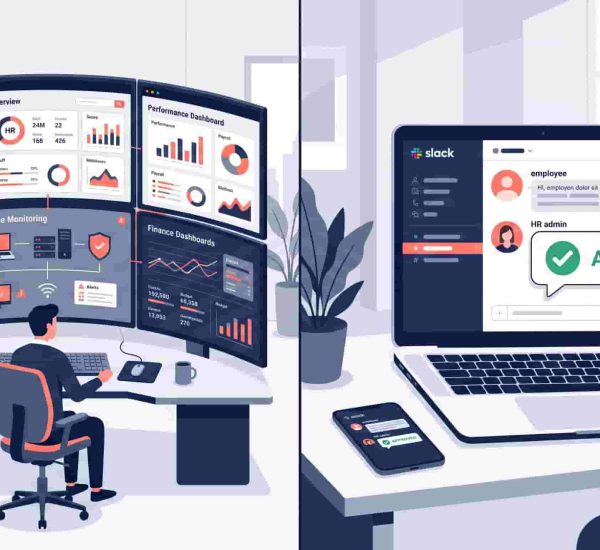
Most workforce tools were built for people who clock in, work a shift, and clock out. If you run an agency, consulting firm, or remote team – that’s not your world. So when you compare AttendanceBot vs Deputy, you’re not choosing between two similar tools. You’re choosing between two completely different ways of working.
This post breaks down exactly why, and helps you make a clean decision without wading through feature lists that don’t apply to how your team actually works.
AttendanceBot vs Deputy is a comparison between two workforce management tools with fundamentally different design philosophies. Deputy is built for shift-based industries – retail, hospitality, healthcare – where scheduling, compliance, and hourly labor management are the core problems. AttendanceBot is built for Slack-first, professional services teams – agencies, consulting firms, and remote tech companies – where flexible time tracking, leave management, and hybrid team visibility are what actually matter. For professional services teams, AttendanceBot is the more natural fit.
Quick Verdict on AttendanceBot vs Deputy
Choose Deputy if: Your team works predictable shifts, you manage hourly employees, you operate in retail, healthcare, or hospitality, and labor law compliance and scheduling automation are your primary HR pain points.
Choose AttendanceBot if: Your team runs on Slack, works flexible or hybrid hours, bills clients by the hour or project, manages PTO across a distributed team, and wants HR workflows that happen inside the tools people already use – not in a separate portal nobody visits.
AttendanceBot vs Deputy: At a Glance
| Category | AttendanceBot | Deputy |
| Best for | Professional services, remote & hybrid teams | Retail, hospitality, shift-based workforces |
| Core function | Slack-based time tracking & HR automation | Shift scheduling & labor compliance |
| Interface | Slack / Microsoft Teams (chat-first) | Web app + mobile scheduling platform |

The Core Difference Nobody Explains Clearly
Deputy is shift scheduling software that also does time tracking. AttendanceBot is Slack-based HR software that handles time tracking, leave management, and attendance for teams that don’t work in shifts.
That single distinction explains most of what follows.
Deputy was designed to solve a specific and real problem: coordinating large numbers of hourly workers across locations, ensuring coverage, managing break compliance, and staying on the right side of labor law. It does this well. But those problems are not the problems facing a 40-person digital agency or a distributed consulting team managing client engagements across time zones.
AttendanceBot vs Deputy isn’t really a feature-by-feature competition. It’s a question of which tool was built for your operating model. Deputy was built for an operating model where people show up at a fixed location at a scheduled time. AttendanceBot was built for an operating model where people work flexibly, often remotely, often across projects, and need HR automation that fits inside their existing workflow – not on top of it.
AttendanceBot vs Deputy: Feature Comparison for Professional Services Teams
Time Tracking: Shifts vs Billable Hours
Deputy tracks time against schedules. Employees clock in, clock out, and time is measured against the shift they were rostered for. This works extremely well when your primary question is “did this person work their scheduled hours?”
For professional services teams, the primary question is different: “how many hours did this person spend on this client, project, or task – and how does that feed into billing?” AttendanceBot tracks time in a way that maps to this reality. Employees log hours inside Slack, time can be tagged to projects or clients, and managers get timesheet reports that are actually useful for billable hours tracking and capacity planning.
Scheduling: Rotas vs Async Availability
Deputy’s scheduling tools are genuinely impressive for shift-based environments. You can build rotas, manage availability, automatically fill open shifts, and handle complex rotation logic. If you’re running a call center or a café, this is exactly what you need.
For a consulting team or agency, this level of scheduling infrastructure is overkill – and the wrong shape of tool. Professional services teams don’t need rota management. They need team availability tracking: who’s in the office vs remote today, who’s on leave this week, who’s booked on which client engagements. AttendanceBot handles this through Slack-native check-ins, leave management, and shift scheduling light enough to handle hybrid without becoming a scheduling operations project.
Leave Management
Both tools handle PTO management. The meaningful difference is where it happens.
Deputy’s leave management works through the Deputy platform. Employees submit requests through the app or portal, managers approve them in Deputy, and the data lives in Deputy’s system.
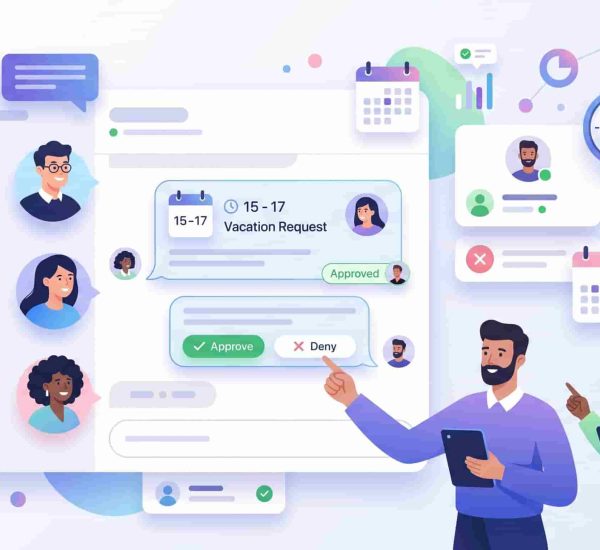
AttendanceBot’s leave management software for Slack means the entire process – request, approval, balance check – happens inside Slack. For teams that live in Slack, this is the difference between a system people use and a system they’re supposed to use. When requesting PTO takes one Slack message; employees do it immediately rather than saving it for later and forgetting.
Integrations: Slack-First vs External Systems
Deputy integrates with payroll systems, POS platforms, and workforce management infrastructure. For shift-based businesses, these integrations are essential.
AttendanceBot’s integration architecture is built around the professional services stack: Slack and Microsoft Teams as the primary interface, Gusto and Wagepoint for payroll sync, BambooHR for HRIS integration, Jira for project-linked time tracking, and ADP for larger teams. These are the tools professional services teams actually use. Slack isn’t an integration for AttendanceBot – it’s the product.
Ease of Use and Adoption
This is where professional services teams consistently underestimate the impact of tool choice. Deputy requires employees to download and use a separate app. For a retail worker who clocks in at a physical location, this is natural. For a consultant who already has 12 tools open and lives in Slack, it’s one more login they’ll avoid.
AttendanceBot adoption is driven by the fact that there’s nothing new to learn. If you can send a Slack message, you can track time, request leave, and check your schedule. This behavioral simplicity is why employee time tracking for remote teams works better when it’s embedded in the communication layer rather than sitting alongside it.
Where Deputy Genuinely Wins
Being fair matters more than winning the argument. Deputy is a genuinely strong product for the problems it was built to solve.
Scheduling automation is best-in-class for shift environments. Auto-scheduling based on availability, skills, and labor cost targets is something AttendanceBot doesn’t try to replicate.
Labor law compliance is built deep into Deputy. Award interpretation, overtime rules, break enforcement, and jurisdiction-specific compliance are areas where Deputy has invested heavily – and where professional services teams rarely have needs that justify that infrastructure.
On-site teams at scale is where Deputy shines brightest. Managing 200 hourly workers across multiple locations is a different operational problem than managing 40 remote consultants, and Deputy was purpose-built for the former.
If your business looks more like the first description than the second, Deputy is the right tool.
Where AttendanceBot Wins for Professional Services
Most HR tools fail because employees don’t use them.
AttendanceBot avoids that problem entirely. It lives inside Slack – so tracking time, requesting PTO, and checking availability happen where work already happens. No extra app. No extra login. No drop-off in adoption.
This is the single biggest adoption driver for hybrid workforce management tools targeting professional services firms.
Billable hours and project time are handled naturally. Time can be tagged to clients or projects, making AttendanceBot genuinely useful for time tracking for agencies with billable hours – not just a compliance tool.
Remote and hybrid team visibility is built in. Who’s in, who’s remote, who’s on leave, who’s in a different time zone – all surfaced through Slack without a dashboard login or a manual check-in process.
Lower total friction across the board. No new app, no new training, no separate platform for employees to remember. If you’re looking for tools like Deputy for office teams that don’t require the operational overhead of a shift management platform, AttendanceBot is the most direct answer.
Real-World Scenarios
A 35-person digital agency billing clients hourly – AttendanceBot.
Time tagged to client matters, PTO managed in Slack, hybrid attendance tracked without a separate app. Deputy’s scheduling infrastructure solves problems this team doesn’t have.
A consulting firm with a distributed team across three time zones – AttendanceBot.
Async check-ins, Slack-native leave requests, and timesheet exports that map to project billing. Deputy’s compliance and rostering features don’t map to this operating model.
A regional restaurant group with 150 hourly staff – Deputy.
Shift scheduling, break compliance, and labor cost management across locations is exactly what Deputy was built for. AttendanceBot isn’t the right tool here.
A SaaS company with a 60-person team working hybrid – AttendanceBot.
Slack is already the workspace. HR automation that lives inside it – time tracking, leave, scheduling – fits without adding tool sprawl.
Pricing Comparison: AttendanceBot vs Deputy
Deputy’s pricing starts around $5 per user per month for basic scheduling and time tracking, with higher tiers for more advanced compliance and reporting features. Costs can increase as you add locations or enable premium features.
AttendanceBot’s pricing starts from $4/user/month, with a free trial available. For small to mid-sized professional services teams, the total cost is typically lower than Deputy, and without the implementation overhead of configuring shift-based infrastructure you don’t need.
Neither tool is expensive in absolute terms. The real cost difference is in complexity: Deputy requires more setup to configure correctly for your context. AttendanceBot is operational the day you connect it to Slack.

Final Verdict on AttendanceBot vs Deputy
Deputy is excellent shift scheduling software for industries built around hourly, on-site workforces. If that describes your business, Deputy is worth a serious look.
For professional services teams – agencies, consulting firms, tech companies, distributed teams – it isn’t the right fit. The scheduling infrastructure is more than you need. The compliance features solve problems you don’t have. And the adoption model – separate app, separate login, separate workflow – fights against how your team actually operates.
<p>AttendanceBot vs Deputy for professional services isn’t a close race. AttendanceBot was built for flexible, Slack-first teams. It tracks time, manages PTO, handles hybrid attendance, and integrates with the payroll and HR tools you already use – all inside Slack, all without asking employees to change their behavior.
For workforce management for agencies, consultancies, and remote tech teams, that’s not a minor convenience. It’s the difference between a tool that gets used and one that collects dust.
Start a free AttendanceBot trial and see how time tracking, PTO, and team visibility work when they’re built directly into Slack – not bolted on.
Frequently Asked Questions
What is the main difference between AttendanceBot vs Deputy?
Deputy is shift scheduling software designed for hourly, on-site workforces in industries like retail, hospitality, and healthcare. AttendanceBot is Slack-based HR software built for professional services teams – remote, hybrid, and flexible – where time tracking, leave management, and team visibility need to live inside Slack rather than a separate platform.
Is Deputy good for remote teams?
Deputy can be used by remote teams, but its core features – shift scheduling, rota management, break compliance, and on-site clock-in – are designed for physical workplaces. For employee attendance tracking for remote teams, AttendanceBot is a more natural fit because it works entirely inside Slack without requiring a separate app or login.
What is AttendanceBot used for?
AttendanceBot is a Slack time tracking software tool that handles time tracking, PTO management, shift scheduling, and attendance – all inside Slack or Microsoft Teams. It’s designed for professional services teams, remote companies, and hybrid workforces that need HR automation without the overhead of a dedicated workforce management platform.
Which is better for agencies with billable hours?
AttendanceBot. It allows time to be tagged to clients or projects, generates timesheet reports that map to billing, and works inside Slack, where agency teams already operate. Deputy’s time tracking is structured around shift schedules rather than billable hours tracking, making it a poor fit for client-based billing models.
What are the best Deputy alternatives for professional services?
For professional services teams looking for Deputy alternatives, AttendanceBot is the most purpose-built option for Slack-first, flexible, and remote teams. Other alternatives include Toggl Track for project-based time tracking and Harvest for time and invoicing. The key distinction is whether the tool is designed for shift-based or flexible working models.
Can you track time in Slack without a separate app?
Yes. AttendanceBot enables complete Slack time tracking software functionality inside Slack – clocking in and out, logging project hours, requesting leave, and generating timesheet reports – without any separate application. Employees interact with a Slack bot using simple messages, making adoption immediate for teams already in Slack.
Is AttendanceBot good for hybrid teams?
Yes. AttendanceBot was designed specifically for hybrid workforce management – tracking who is in the office, who is remote, and who is on leave, all surfaced through Slack. It handles flexible hours, async check-ins, and distributed team visibility without requiring employees to use a separate scheduling platform.
How does Deputy pricing compare to AttendanceBot?
Deputy starts around $5 per user per month, depending on the plan and features selected. AttendanceBot starts from $4/user/month with a free trial available. For software for managing hybrid teams at small to mid-sized professional services companies, AttendanceBot typically offers lower total cost with less configuration overhead – particularly for teams that don’t need shift scheduling or labor law compliance features.