Before comparing the two Rippling vs AttendanceBot , it’s important to recognize that they operate at very different scales and serve genuinely different needs.
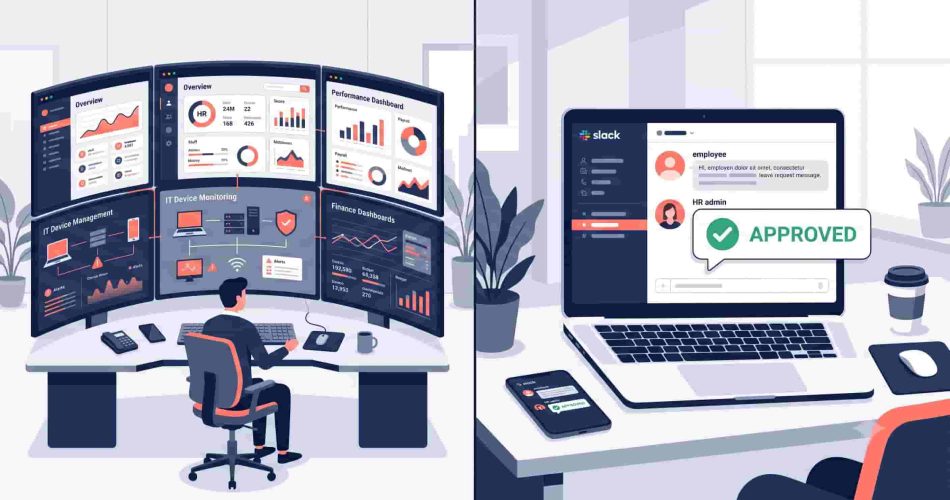
Rippling is one of the most comprehensive workforce platforms on the market. It serves over 20,000 customers, surpassed $1 billion in annualized revenue in early 2026, and is valued at $16.8 billion following its May 2025 Series G round. It unifies HR, payroll, IT device management, benefits, and finance through a single employee data layer – an architectural ambition that goes well beyond what most HR software attempts.
AttendanceBot is a focused, Slack and Microsoft Teams-native tool for leave management, time tracking, shift scheduling, and attendance. It does those things well, inside the communication tools your team already uses, without requiring a full platform implementation.
This comparison isn’t about which product is better in the abstract. It’s about which one fits your team’s actual situation – because Rippling is genuinely the right choice for some teams, and AttendanceBot is genuinely the right choice for others.
Rippling vs AttendanceBot is a comparison between two tools with genuinely different scopes. Rippling is one of the largest workforce management platforms available, combining HR, payroll, IT device management, benefits, and finance in one system – built for companies that need all of that unified. AttendanceBot is a Slack and Microsoft Teams-native tool focused on leave management, time tracking, shift scheduling, and attendance – built for teams that want those workflows handled inside Slack or Teams without paying for a full HR suite. The right choice depends entirely on what your team actually needs.
At a Glance: Rippling vs AttendanceBot
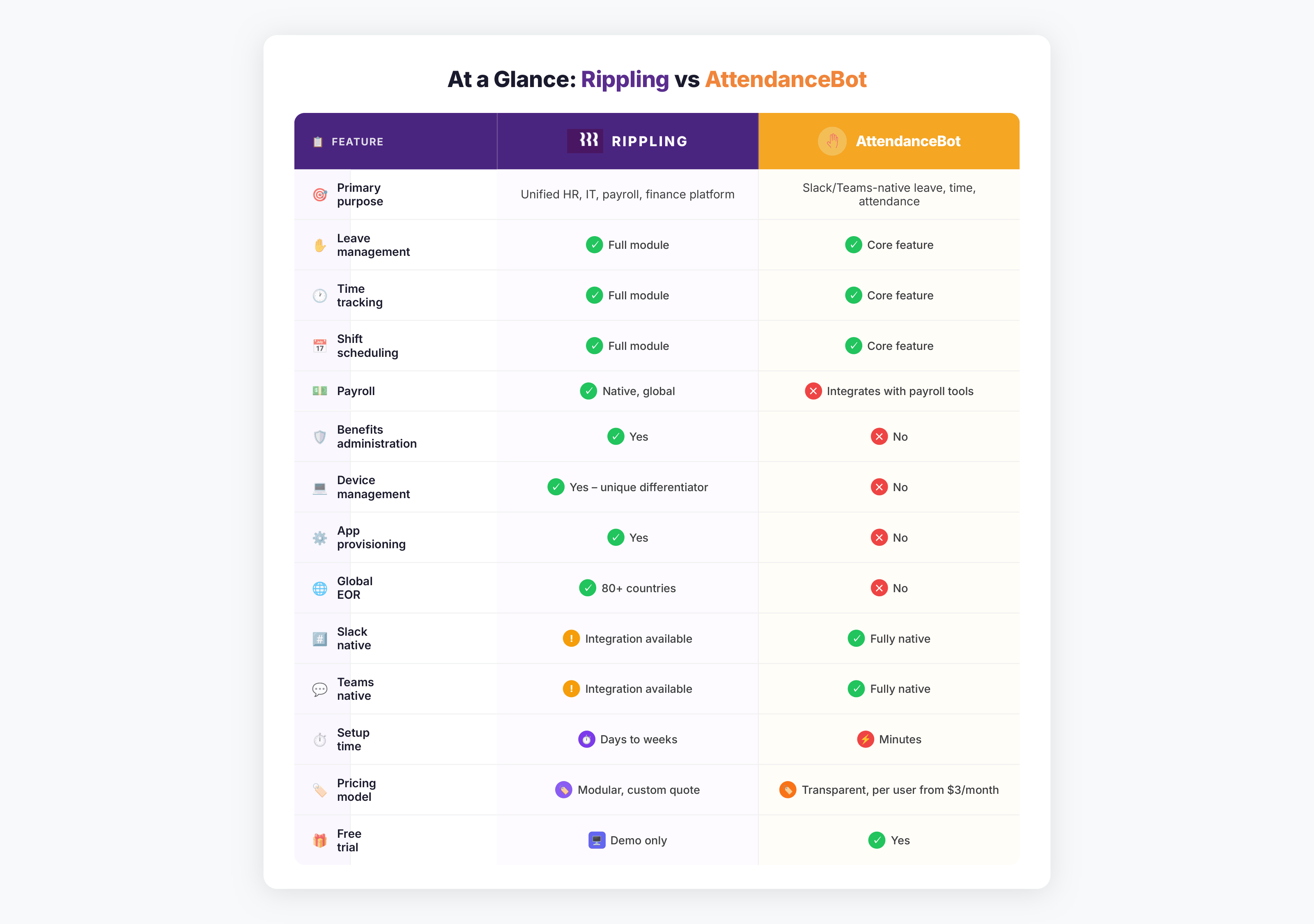
Key Takeaways:
- Rippling is a comprehensive HR, IT, and finance platform – best for teams that need payroll, device management, and HR unified in one system
- AttendanceBot is a Slack and Teams-native leave and attendance tool – best for teams that want those specific workflows handled without a full platform
- Rippling uses modular, custom pricing – the right investment when you’re using most of what the platform offers
- AttendanceBot starts from $3/user/month with a free trial – the right investment when leave, attendance, and time tracking inside Slack is what you need
- Both handle leave management and time tracking – the difference is everything surrounding it
What Rippling Does
It helps to understand Rippling’s actual scope before making any comparisons.
Rippling includes HRIS, global and domestic payroll, an applicant tracking system, benefits administration, expense management, corporate cards, and IT tools like device management and identity access control – all connected through a unified employee data layer called Rippling Unity.
The IT capability is what makes Rippling structurally distinct in this space. When you onboard a new hire, Rippling can simultaneously set up their payroll, enroll them in benefits, ship and configure their laptop, grant access to every app they need, and add them to expense management. That’s a genuinely different ambition from anything in the pure HR software category.
Rippling’s EOR services are active in 80 countries, with contractor payments supported in 185+ countries.
On usability, the platform holds up well. Rippling has an NPS of 90 against a Core HR category average of 59, and non-HR admins navigate it without training.
The honest limitations: pricing complexity is the most consistent complaint among reviewers – modular billing, peak-headcount charges, and undisclosed implementation fees make total spend difficult to forecast, with multiple reviewers describing discovering the real cost only after signing. Support is primarily chat-based, with phone support available only at higher tiers.
What AttendanceBot Does
AttendanceBot is not trying to be Rippling. It doesn’t manage devices, run payroll, or administer benefits.
It does four things, natively inside Slack and Microsoft Teams:
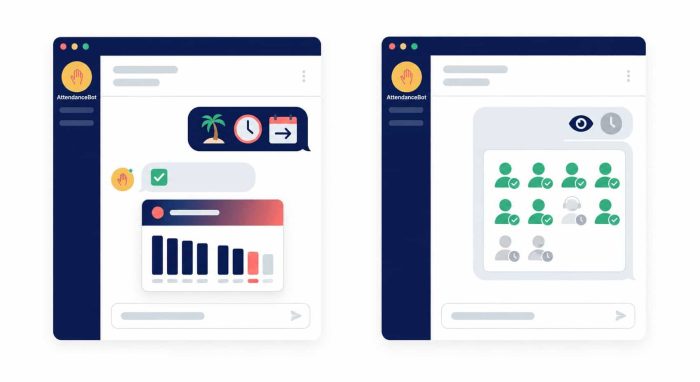
Leave management – employees request time off by sending a message. Managers approve with one click. Leave balances update automatically. No portal, no separate login. Our Slack leave management guide covers how this works in practice.
Time tracking – employees clock in and out through a Teams or Slack message. Timesheets compile automatically. Overtime tracking and payroll-ready exports are built in.
Shift scheduling – managers build and distribute schedules inside Slack or Teams. Employees see their shifts, request swaps, and receive reminders without navigating a separate platform. See our shift scheduling guide for more.
Attendance and hybrid visibility – managers see in real time who’s in, who’s remote, and who’s on leave – inside Teams or Slack, without a dashboard login. This is particularly useful for hybrid team coordination.
AttendanceBot integrates with Rippling, Gusto, BambooHR, ADP, Wagepoint, and Jira – meaning it can sit alongside your existing payroll and HRIS rather than replacing it.
Where Rippling Is the Right Choice
Rippling earns its investment when you’re actually using what it provides.
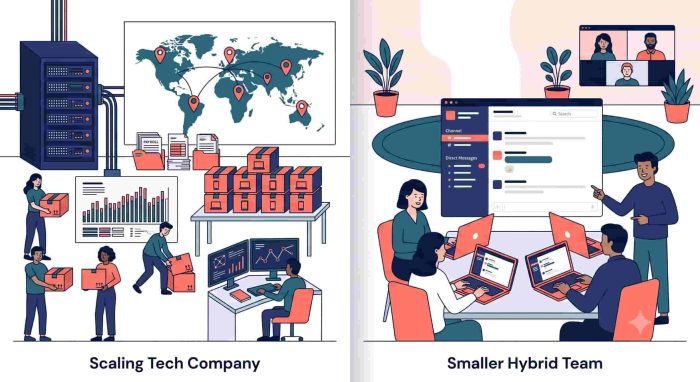
If your team needs native payroll – particularly across multiple states or countries – Rippling’s automated compliance and direct payroll integration is genuinely difficult to replicate with separate tools. Rippling applies jurisdiction-specific wage, overtime, and leave rules automatically, with immutable audit logs for each payroll action.
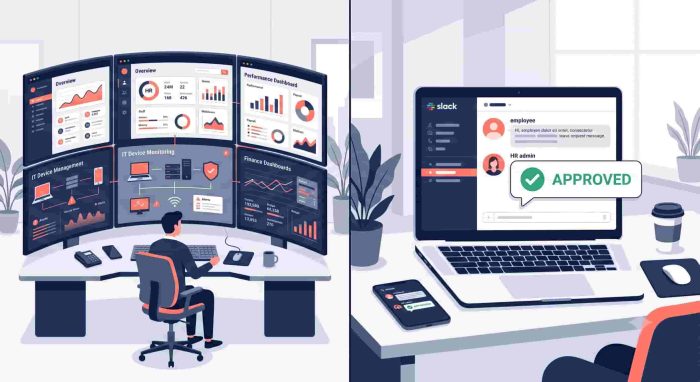
If you need HR and IT unified – provisioning laptops, managing app access, and handling offboarding in one workflow – Rippling is one of the few workforce platforms that combines payroll, HR, IT device management, and app provisioning within a single system. That’s a structural advantage that purpose-built HR tools don’t attempt to replicate.
If you’re scaling internationally and need EOR coverage across multiple markets, Rippling’s global infrastructure handles complexity that would otherwise require multiple vendors.
Forrester found that Rippling lifts HR, payroll, and finance efficiency by 42% for teams fully utilizing the platform – which tells you the return is real, provided you’re actually using the depth of what’s available.
Where AttendanceBot Is the Right Choice
AttendanceBot is the right choice when your core need is clean, frictionless leave and attendance management inside Slack or Teams – and you don’t need the surrounding infrastructure that Rippling provides.
When your team already lives in Slack or Teams. When leave requests happen where employees already communicate, adoption is immediate and data quality is high. When they require a separate portal login, adoption is inconsistent and HR ends up chasing submissions. Our guide to employee attendance tracking explains why this behavioral difference matters.
When you have a payroll system that works. AttendanceBot integrates with Gusto, Rippling, BambooHR, ADP, and Wagepoint. If your payroll runs cleanly where it is, AttendanceBot is an additive layer – not a migration.
When you want leave and attendance running in days, not weeks. AttendanceBot is operational the day you install it – no implementation project, no dedicated configuration period, no professional services.
When Rippling’s full scope is more than your team needs. Rippling’s modular pricing means costs grow as modules are added. If your team doesn’t need device management, app provisioning, or global payroll, you may be paying for infrastructure that doesn’t solve your actual problems. Organizations in that position may end up paying for capabilities they rarely use.
On Rippling’s Slack Integration
Rippling integrates with Slack – employees can receive notifications and interact with certain Rippling features through Slack. This is meaningfully different from being Slack-native.
AttendanceBot’s entire leave and attendance workflow – submission, approval, balance checking, shift scheduling, hybrid status – operates through Slack or Teams messages. There’s no link that takes you to a separate Rippling interface. The interaction begins and ends in Slack.
For teams where Slack or Teams is the primary workspace and the goal is maximum adoption with minimum friction, the distinction matters in practice.
Rippling vs AttendanceBot Pricing: What You’re Actually Paying For
Rippling uses modular, quote-based pricing – the platform starts with a base Unity fee and grows as modules are added. Implementation fees of 5–15% of annual contract apply and are not disclosed upfront. The right way to understand Rippling’s total cost is to request a quote based on the exact modules your team will use – third-party estimates vary widely and shouldn’t be used as planning figures.
AttendanceBot’s pricing starts from $3/user/month with a free trial available. The pricing is transparent and doesn’t require a quote or implementation engagement.
The comparison isn’t about which number is smaller – it’s about whether the cost reflects the value you’re getting. Rippling’s investment makes sense when you’re using payroll, benefits, device management, and HR from one platform. AttendanceBot’s pricing makes sense when leave management and attendance tracking inside Slack is the problem you’re solving.
Who Uses AttendanceBot Alongside Rippling
These tools aren’t always either/or. Some teams use Rippling for payroll, benefits, and IT while using AttendanceBot for the Slack-native leave and attendance layer – because the daily employee interaction for time off and check-ins works more naturally through a dedicated Slack bot.
If your team is already on Rippling for payroll but wants a more frictionless leave experience inside Slack, AttendanceBot’s Rippling integration syncs approved leave and hours directly into Rippling without requiring migration.
FAQ
Rippling vs AttendanceBot: What Is the Difference?
Rippling vs AttendanceBot is a comparison between a comprehensive workforce platform and a focused Slack-native leave and attendance tool. Rippling unifies HR, payroll, IT device management, benefits, and finance in one system. AttendanceBot handles leave management, time tracking, shift scheduling, and attendance natively inside Slack and Microsoft Teams. They serve different needs and are not direct competitors in most buying situations.
Is Rippling Good for Small Businesses?
Rippling works for small businesses, particularly those with complex needs – multi-state payroll, device management, or global hiring. The majority of Rippling’s customers have below 200 employees. The key consideration is whether the full platform matches your actual requirements – Rippling’s modular pricing means costs scale with the modules you activate, so teams with simpler needs may find a more focused tool is a better fit.
Does AttendanceBot Replace Rippling?
No – and it’s not designed to. AttendanceBot doesn’t run payroll, administer benefits, manage devices, or provision apps. What it does is capture accurate time tracking, leave, and attendance data and sync it directly into payroll platforms like Gusto, Wagepoint, ADP, and Rippling itself – so those platforms have clean, accurate data before each pay run. For teams already using Rippling for payroll and benefits, AttendanceBot adds the Slack-native leave and attendance layer on top without replacing anything.
Which Is Better for Slack-First Teams?
For teams where Slack is the primary workspace and the goal is frictionless leave requests, time tracking, and attendance without context switching, AttendanceBot is purpose-built for this. Rippling has a Slack integration but its core workflows primarily run through the Rippling platform rather than natively inside Slack.
How Long Does AttendanceBot Take to Set Up?
AttendanceBot installs and is operational inside Slack or Microsoft Teams in minutes – no implementation project, no professional services, no configuration period. Rippling’s implementation timeline varies by module complexity but typically takes days to weeks for a full setup, particularly when payroll, benefits, and IT modules are configured simultaneously.
Does Rippling Work Inside Microsoft Teams?
Rippling has Microsoft Teams integration for notifications and certain interactions. It is not Teams-native in the same sense as AttendanceBot, where the full leave, attendance, and scheduling workflow runs through Teams messages without redirecting to an external platform. Our guide to leave management in Microsoft Teams covers what Teams-native leave management looks like in practice.
Is AttendanceBot a Rippling Alternative?
It depends on what you’re looking to replace. If you’re using Rippling primarily for leave management and attendance and want a lighter, Slack-native option for those specific workflows, AttendanceBot is worth evaluating. If you’re using Rippling for payroll, device management, and benefits, AttendanceBot doesn’t cover those functions and isn’t a direct replacement. Our BambooHR alternatives guide covers a broader range of HR tool comparisons if you’re doing a full market evaluation.
The Takeaway
Rippling is a serious platform that justifies serious consideration – particularly for teams that need HR, payroll, IT, and finance unified and have the implementation capacity to get full value from what it offers. For founders, IT admins, and People Ops leaders looking to build a scalable, secure, and efficient operational backbone, Rippling is a benchmark against which other solutions are measured.
AttendanceBot is the right choice when the problem is more specific: your team lives in Slack or Teams, you need leave requests and attendance to work inside that environment, and you want to solve that problem quickly without implementing a full workforce platform.
The question worth asking before choosing either is simple: what are you actually trying to solve? If the answer involves payroll, device management, benefits, and HR in one system – look seriously at Rippling. If the answer is “we need leave requests and attendance to stop being a manual mess inside Slack or Teams” AttendanceBot solves that specific problem faster and at a lower cost.
Start a free AttendanceBot trial and have leave management running inside Slack or Teams today.