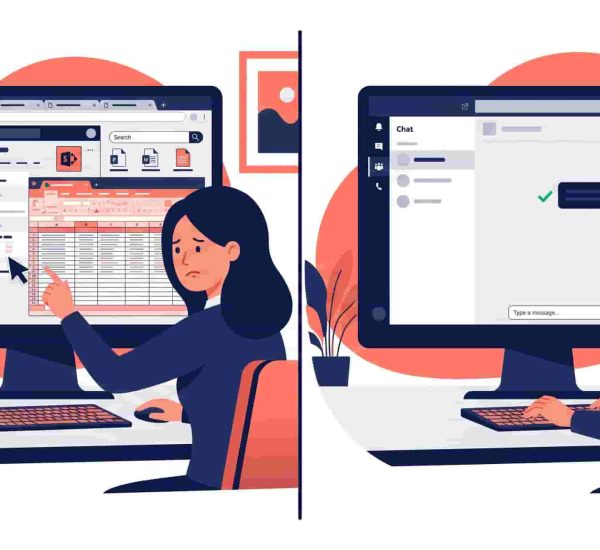
Manual timesheets are end-of-week guesswork. Employees reconstruct hours from memory, managers spot-check numbers they can’t verify, and payroll corrections eat the time that was supposed to be saved. For small teams where HR admin is already stretched thin, the math is clear: every hour spent reconciling timesheet errors is an hour not spent on work that actually moves the business.
The best timesheet software for small teams doesn’t ask employees to do more — it generates timesheets automatically from the work they’re already doing. This guide covers the eight best options in 2026, ranked by how automatically they handle the work, and what they integrate with when payroll comes around.
What is the best timesheet software for small teams?
For teams already working in Slack or Microsoft Teams, AttendanceBot generates timesheets automatically from chat-based clock-ins — zero manual entry, payroll-ready exports, and PTO tracking in the same tool. Strong alternatives include Clockify for project-based teams wanting a generous free tier, Homebase for hourly and shift-based small businesses, and Harvest for agencies and consultants needing time tracking connected directly to client invoicing.
How We Chose These Tools
Every tool was evaluated on the criteria that matter specifically for timesheet management — not general project management:
Automatic timesheet generation — does the tool build timesheets from clock-in/out data automatically, or does it require employees to fill in hours manually? This is the biggest practical difference between tools that get used and tools that don’t.
Payroll-ready exports — can HR generate a clean, structured timesheet export that feeds into payroll without reformatting or manual reconciliation?
Slack or Teams native support — for teams that communicate in Slack or Microsoft Teams, does timesheet interaction happen inside those tools or require a separate platform?
Approval workflow — can managers review and approve timesheets without a complex portal, and does approval trigger the export process cleanly?
Billable hours support — can the tool distinguish between billable and non-billable time, and does it support project-level time logging for teams that need to invoice clients?
Quick Comparison
| Tool | Best For | Auto-generates from chat? | Payroll Integration | Starting Price |
| AttendanceBot | Slack/Teams-native automatic timesheets | ✅ Yes — chat commands | ✅ Gusto, ADP, BambooHR, Wagepoint | $3/user/month |
| Clockify | Project-based tracking, budget-conscious teams | ❌ Manual entry | ✅ Via export | Free (up to 5 users) |
| QuickBooks Time | QuickBooks users, mobile/field teams | ❌ Manual entry | ✅ Native QuickBooks sync | $8/user/month + base fee |
| Toggl Track | Agencies and freelancers, clean UX | ❌ Manual entry | ✅ Via export | Free (up to 5 users) |
| Homebase | Hourly and shift-based small businesses | ❌ Manual entry | ✅ Homebase Payroll or export | Free (1 location) |
| Deputy | Multi-location scheduling + timesheets | ❌ Manual entry | ✅ Via export | $5/user/month |
| Harvest | Agencies needing time tracking + invoicing | ❌ Manual entry | ✅ Via export | Free (1 seat, 2 projects) |
| When I Work | Hourly teams needing scheduling + time clock | ❌ Manual entry | ✅ Via export | $2.50/user/month |
| Jibble | Field & mobile teams needing free GPS & facial recognition | ❌ Limited (App/Kiosk focused) | ✅ Via export & integrations | Free (unlimited users) |
The 9 Best Timesheet Software Tools for Small Teams in 2026
1. AttendanceBot
Best for: Slack and Microsoft Teams-native automatic timesheet generation with PTO tracking and payroll exports in one tool
AttendanceBot is the only tool on this list where timesheets build themselves from inside Slack or Microsoft Teams — no separate app, no manual entry, no end-of-week reconstruction. Employees clock in by typing in in Slack or Teams and clock out by typing out. That’s it. AttendanceBot records the timestamp, tracks breaks and overtime automatically, and compiles the data into a clean timesheet — available as an Excel export, delivered to a designated inbox on a configured schedule, or synced directly to payroll.
For teams that track billable hours by project, AttendanceBot presents a project dropdown at clock-in — employees select the active project and switch between them throughout the day by clocking out and back in. Project-level time data compiles automatically alongside total hours for payroll.
The Gusto integration syncs approved hours directly into Gusto payroll without manual re-entry. ADP, BambooHR, and Wagepoint export formats are also supported. PTO tracking and leave management run in the same tool — so approved leave appears in timesheet records automatically without any cross-system reconciliation.
For teams on Microsoft Teams specifically, our Microsoft Teams time tracking guide covers the full setup. For Slack-first teams, the time tracking apps for Slack roundup covers how AttendanceBot compares to other Slack-native options.
Pricing: From $3/user/month. See current plans.
2. Clockify
Best for: Project-based teams wanting free timesheet software with solid reporting
Clockify is one of the most widely used free timesheet software options — and after its April 2026 pricing changes, it now offers a free plan for up to 5 users with time tracking, timesheets, calendar view, basic reporting, and project tracking included. Paid plans start at $3.99/user/month and add admin controls, billable rates, timesheet approvals, and invoicing.
The Slack integration sends notifications and allows basic timer control but the core timesheet workflow runs in Clockify’s web app. Timesheets are built from manually started and stopped timers rather than automatic capture — which works well for teams with disciplined timer habits, and requires consistent behavior to produce clean data.
According to Clockify’s positioning, it’s best for agencies, consultants, freelancers, software teams, and marketing teams that want time tracking to sit inside the tools they already use for project work, with integrations covering Asana, Trello, Jira, ClickUp, and similar tools.
Trade-off: Slack integration is notification-based. Timesheet accuracy depends on employees consistently starting and stopping timers throughout the day.
Pricing: Free up to 5 users. Paid from $3.99/user/month (billed annually).
3. QuickBooks Time
Best for: Teams already on QuickBooks Online who want native payroll sync without manual timesheet export
QuickBooks Time (formerly TSheets) integrates natively with QuickBooks Online — approved timesheets sync to payroll without any export step, which is a meaningful time saving for teams already in the QuickBooks ecosystem. It includes GPS tracking, photo clock-in, shift scheduling, and project/job code tracking — covering the compliance and field team features that general-purpose time trackers often miss.
As of July 2026, QuickBooks Time has raised its per-user pricing by 25%, making it notably more expensive for growing teams, especially compared with tools that don’t combine a monthly base fee with higher per-user costs. It also requires an active QuickBooks Online subscription to function — teams outside the QuickBooks ecosystem will find limited value at the price point.
Trade-off: Requires QuickBooks Online subscription. Expensive for small teams. No free plan. Geofencing and project management features are Elite-only.
Pricing: Base fee + $8/user/month (Premium). Elite plan higher.
4. Toggl Track
Best for: Freelancers, agencies, and creative teams wanting a clean, minimal timesheet experience
Toggl Track is built for speed — one-click timers, a clean interface, and over 100 integrations make it the most frictionless manual timer on this list. The free plan covers up to 5 users with basic tracking and reporting. The Starter plan at $9/user/month adds billable rates, time rounding, and project estimates. Timesheet approvals are locked behind the Premium plan at $18/user/month.
Its Slack integration sends notifications but time tracking happens in Toggl’s web app, desktop app, or browser extension. For teams where everyone tracks time consistently and billable hour accuracy matters, Toggl Track’s reporting depth is among the best available at this price point.
Trade-off: Timesheet approvals require the Premium plan. Slack integration is notification-only. Accuracy depends on manual timer discipline.
Pricing: Free up to 5 users. Starter $9/user/month. Premium $18/user/month.
5. Homebase
Best for: Hourly and shift-based small businesses wanting free timesheet software with scheduling included
Homebase is best described as an all-in-one time tracking solution for small business teams that also need scheduling, payroll, and compliance tools — and its free plan for one location with unlimited employees makes it the most generous free option for shift-based teams. Clock-in happens through the mobile app, web browser, or a dedicated kiosk device.
Homebase’s per-location pricing (rather than per-user) makes it particularly cost-effective for teams with high employee counts at a single location — restaurants, retailers, salons, and similar businesses. Timesheets compile from clock-in data automatically and feed into Homebase’s own payroll product or export to external payroll systems.
Trade-off: Not designed for project-based billing or knowledge worker use cases. No Slack or Teams integration. Per-location pricing can be limiting for multi-site businesses.
Pricing: Free for 1 location (unlimited employees). Paid plans from $24/month per location.
6. Deputy
Best for: Multi-location teams that need shift scheduling tightly connected to timesheet management
Deputy combines shift scheduling, time clock, and timesheet management in one platform — the strength being that schedules feed directly into clock-in/out workflows, so scheduled hours and actual hours are tracked in the same system. It’s particularly useful for businesses managing employees across multiple locations who need managers to approve timesheets before they feed into payroll.
The Slack integration is limited — Deputy primarily operates through its own mobile app and web dashboard. Timesheet exports support most major payroll platforms. According to G2 reviewers, Deputy scores 4.6/5 with 57% of reviews from small businesses, with particular strength in scheduling and compliance features.
Trade-off: Primarily a scheduling tool with timesheet capabilities — not built around automatic capture or Slack-native workflows.
Pricing: From $5/user/month (Lite).
7. Harvest
Best for: Agencies and consultants needing timesheet software connected directly to client invoicing
Harvest’s core differentiator on this list is invoicing — tracked time feeds directly into client invoices, making it the strongest option for service businesses that bill by the hour. It includes a Slack bot for basic timer control and time logging, though the full timesheet and invoicing workflow runs in Harvest’s web interface.
Harvest has a free plan available, with paid plans from $10.80/seat/month according to G2, and holds a 4.3/5 rating with 72% of reviewers coming from small businesses. For teams that don’t need client invoicing, the price point is harder to justify compared to Clockify or Toggl Track.
Trade-off: No meaningful Slack-native timesheet workflow. Invoicing is the main differentiator — teams that don’t need it will find better value elsewhere.
Pricing: Free (1 seat, 2 projects). Paid from $10.80/seat/month.
8. When I Work
Best for: Hourly teams wanting simple scheduling and time clock without per-user complexity
When I Work combines shift scheduling with a time clock and timesheet management at a per-user price that’s among the lowest on this list for paid plans. Employees clock in through the mobile app or a shared device, timesheets compile from clock data, and exports feed into payroll systems. It’s designed for teams with straightforward hourly tracking needs — retail, food service, healthcare — rather than knowledge workers tracking project time.
The platform has no meaningful Slack integration. Its strength is simplicity: scheduling and time tracking in one place with a mobile-first experience that works for teams without desk-based employees.
Trade-off: No project-based tracking or billable hours. No Slack or Teams integration. Limited reporting depth compared to tools like Clockify or Harvest.
Pricing: From $2.50/user/month.
9. Jibble
Best for: Field teams and deskless workforces needing free automated timesheets with GPS and facial recognition
Jibble is a mobile-first time tracking tool built to turn clock-in/clock-out data automatically into accurate, payroll-ready timesheets. While many competitors charge hefty per-user fees for field-tracking features, Jibble stands out by offering facial recognition clock-ins, GPS tracking, and geofencing on a generous free-forever plan with unlimited users.
Employees can clock in via iOS, Android, a shared kiosk/tablet, or desktop (including basic Slack and MS Teams commands). Timesheets populate automatically with total work hours, overtime, and break logs, allowing managers to approve time entries and export them directly to payroll. It also supports project and activity tracking for teams that need to categorize billable versus non-billable hours.
-
Trade-off: Advanced features like custom manager roles, automated overtime rules, and deep project hierarchy may require initial configuration. The user interface on desktop is less streamlined for complex knowledge-worker project billing than tools like Toggl or Harvest.
-
Pricing: Free-forever plan available (unlimited users).
Also Worth a Look
actiTIME is another timesheet solution designed for businesses that need project-based time tracking, billable hours, and reporting.
How to Pick the Right Timesheet Software
The most important question before choosing any timesheet software is whether you want automatic or manual time capture — and that question has a clear answer for most teams.
Manual time capture (most tools on this list) depends on employees consistently starting and stopping timers or filling in hours at the end of the day. It works for disciplined teams with strong habits, and produces clean data when everyone uses it correctly. It fails when employees forget, estimate, or batch-enter hours at week-end.
Automatic time capture (AttendanceBot) generates timesheets from clock-in and clock-out interactions that happen where employees already communicate — in Slack or Microsoft Teams. When clocking in is as simple as typing in, adoption is naturally higher because the behavioral barrier is lower. For teams already living in Slack or Teams, this is worth weighting heavily.
After that, the decision comes down to ecosystem fit. Teams on QuickBooks benefit most from QuickBooks Time’s native payroll sync. Teams with hourly workers and shift scheduling needs are well served by Homebase or Deputy. Teams that need client invoicing alongside time tracking should look at Harvest. Teams doing project-based knowledge work with no payroll integration need will find Clockify or Toggl Track more than sufficient.
For teams on Microsoft Teams looking for deeper context on time tracking specifically in that environment, our Microsoft Teams time tracking guide covers the full workflow. For Slack-first teams, the time tracking apps for Slack roundup covers the Slack-native landscape in more detail.

Frequently Asked Questions
What Is Timesheet Software?
Timesheet software is a tool that records employee work hours, compiles them into structured timesheet reports, and generates the data needed for payroll processing, project billing, and workforce management. Modern timesheet software ranges from manual timer-based tools where employees start and stop timers throughout the day, to automatic capture tools like AttendanceBot that build timesheets from clock-in and clock-out interactions inside Slack or Microsoft Teams — without any manual data entry.
Can Timesheets Be Generated Automatically From Slack or Microsoft Teams?
Yes — with AttendanceBot. Employees type in to start the workday and out to end it directly in Slack or Teams. AttendanceBot records every interaction as a timestamped entry and compiles the data into a complete employee timesheet automatically — no separate platform, no manual entry, no end-of-week reconstruction. Most other tools on this list require employees to use a separate app or web interface for timesheet management.
How Is Timesheet Software Different From Time Tracking Software?
The terms are often used interchangeably but there’s a practical distinction. Time tracking software focuses on capturing when work happens — start times, stop times, breaks, and project switches. Timesheet software takes that raw tracking data and structures it into the weekly or bi-weekly summaries that feed payroll and client billing. Most tools do both — the relevant question is how automatically the translation from raw tracking data to structured timesheet happens, and whether it integrates with your payroll and attendance tracking workflow.
Do Timesheet Apps Integrate With Payroll?
Most do, though integration depth varies. AttendanceBot integrates natively with Gusto (direct sync), ADP, BambooHR, and Wagepoint. QuickBooks Time integrates natively with QuickBooks Online payroll. Clockify, Toggl Track, Harvest, Deputy, Homebase, and When I Work all support structured CSV or Excel exports that feed into most payroll platforms — though they require a manual export step rather than direct sync. For teams where payroll accuracy and speed matter most, native integrations like AttendanceBot’s Gusto connection eliminate the reconciliation step entirely.
How Much Does Timesheet Software Cost?
Timesheet software for small teams ranges from free to around $12/user/month for paid plans. Free options include Clockify (up to 5 users), Homebase (1 location, unlimited employees), and Harvest (1 seat, 2 projects). Paid plans typically run $3–$10/user/month for most tools. QuickBooks Time is the most expensive on this list following its July 2026 price increase — it now charges a base fee plus a per-user rate that makes it notably pricier than alternatives for small teams. AttendanceBot starts from $3/user/month. For a full breakdown of what’s included at each tier, check the monthly time tracking audit checklist which covers what data to review before each payroll run.
What Is the Difference Between Free and Paid Timesheet Software?
Free plans typically cover basic time capture, limited reporting, and small team sizes — usually up to 5 users. Paid plans add timesheet approvals, billable rate tracking, payroll integrations, overtime calculations, invoicing, and advanced reporting. For small business workforce management, the most important paid feature is usually timesheet approvals — without an approval workflow, managers have no structured checkpoint before hours go to payroll.