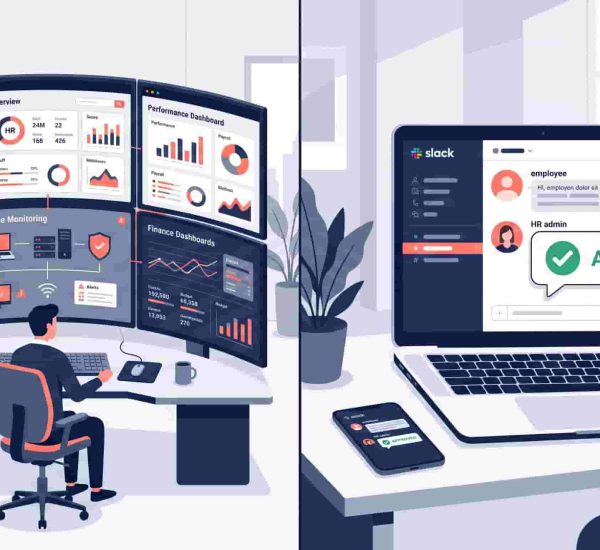
HR managers are expected to know employment law, manage people operations, build culture, run compliance audits, handle sensitive conversations, and still respond to the seventeen Slack messages that arrived while they were doing all of the above.
AI tools don’t change what HR requires. They change how long the routine parts take.
The prompts below are organized by topic — not by AI tool, because they work in ChatGPT, Claude, Gemini, and most other general-purpose AI assistants. Each one is written to be copy-paste ready with a brief note on when to use it. Customize the bracketed fields for your company’s context before running.
These aren’t theoretical. They’re the prompts HR and ops managers are actually using to draft policies, structure communications, analyze workforce data, and navigate compliance questions faster in 2026.
AI prompts for HR managers are structured instructions given to tools like ChatGPT, Claude, or Gemini to generate specific HR outputs — policy drafts, communication templates, compliance summaries, shift schedules, and workforce analysis. The best prompts are specific, context-rich, and copy-paste ready. This guide provides 60 AI prompts for HR organized across seven core topics: PTO and leave management, time tracking, shift planning, attendance tracking, HR best practices and workforce management, remote and hybrid work, and US leave law and compliance.
Category 1: PTO and Leave Management AI Prompts
When to use these: Drafting leave policies, handling employee communications around time off, analyzing leave data, or navigating edge cases in PTO requests.
Prompt 1 Use when writing or updating a company PTO policy from scratch.
Write a paid time off policy for a [number]-person [industry] company based in [state/country]. Include: eligibility, accrual rate, carryover rules, approval process, sick leave provisions, and payout rules at separation. Tone should be clear and professional. Flag any provisions that may need legal review for [state] compliance.
Prompt 2 Use when an employee asks how their leave accrual works.
Explain how PTO accrual works to an employee who is unfamiliar with the concept. Use plain language. Include: what accrual means, how it accumulates per pay period, what a cap means, and what happens to unused days at year end. Keep it under 200 words.
Prompt 3 Use when designing a leave policy for a team with employees in multiple US states.
I manage HR for a company with employees in [State A], [State B], and [State C]. Summarize the key differences in mandatory paid sick leave requirements across these three states and flag which state’s rules are most restrictive. Format as a table.
Prompt 4 Use when an employee submits a leave request that conflicts with another team member’s approved absence.
Draft a professional, empathetic response to an employee whose leave request overlaps with a colleague’s approved vacation during a critical project period. Acknowledge the request, explain the coverage concern, and invite them to propose alternative dates. Tone: warm but clear.
Prompt 5 Use when building an unlimited PTO policy that actually works in practice.
Write an unlimited PTO policy for a 40-person tech startup. Include: guiding principles, minimum recommended days, manager approval process, blackout period rules, and a note on how we’ll monitor whether people are actually taking time off. Flag California-specific legal considerations.
Prompt 6 Use when an employee asks whether their unused PTO will be paid out at resignation.
Summarize the PTO payout rules on termination for employees in [state]. Is the employer required to pay out accrued vacation? Does it matter whether the separation was voluntary or involuntary? Format as a plain-language summary I can share with an employee.
Prompt 7 Use when calculating how much PTO an employee has accrued mid-year.
An employee started on [start date] and today is [current date]. Their PTO accrual rate is [X] days per month with a [Y]-day annual cap. They have taken [Z] days so far this year. Calculate their current balance and tell me when they will hit the cap if the pattern continues.
Prompt 8 Use when responding to a manager who is concerned about team leave usage patterns.
A department manager has raised concerns that several employees are using a disproportionate amount of sick leave in Q[X]. Draft talking points for an HR conversation with the manager that: acknowledges the concern, explains the limits of what HR can investigate, outlines appropriate next steps, and reminds them of FMLA and ADA considerations.
Prompt 9 Use when creating a leave request email template for employees.
Write a professional leave request email template employees can use when requesting time off. Include fields for: type of leave, dates requested, reason (optional), coverage plan, and a closing line. Keep it concise and appropriate for a professional services company.
Prompt 10 Use when auditing your leave policy for compliance gaps before a new year.
Review the following PTO policy for potential compliance issues in [state/country]: [paste policy]. Flag any provisions that may conflict with state-mandated sick leave laws, FMLA requirements, or local predictive scheduling ordinances. Summarize the top three risks and suggest corrections.
AttendanceBot automates the tracking side of all of this — leave balances, approvals, and accrual records — so you can spend time on the conversations, not the spreadsheets.


Category 2: Time Tracking AI Prompts
When to use these: Building timesheet policies, analyzing time data, handling time theft concerns, or communicating time tracking expectations to employees.
Prompt 11 Use when creating a timesheet policy for a team that has been tracking time informally.
Write a timesheet policy for a [number]-person [industry] company. Include: who is required to submit timesheets, submission deadlines, what to include (project codes, hours, overtime), consequences for late or missing submissions, and how timesheets connect to payroll. Tone: professional but not punitive.
Prompt 12 Use when analyzing timesheet data to identify patterns before a payroll run.
Review the following timesheet summary for [month]: [paste data]. Identify: any employees with unusually high or low hours compared to their contracted hours, any overtime that appears inconsistent with approved projects, and any missing submissions. Format as a bullet-point summary.
Prompt 13 Use when an employee disputes their recorded hours.
Draft a response to an employee who has raised a concern that their recorded hours for the pay period ending [date] do not match their own records. The discrepancy is [X] hours. Explain the process for reviewing and correcting timesheet records, and outline what documentation they should provide. Tone: professional and solution-focused.
Prompt 14 Use when communicating a new time tracking requirement to a team that hasn’t tracked time before.
Write a short internal announcement introducing mandatory time tracking to a team that has not tracked hours previously. Explain: why we’re doing it, what tool they’ll use, what they need to log, and how it affects their day-to-day. Tone: honest and matter-of-fact. Address the likely concern that this feels like surveillance.
Prompt 15 Use when building a monthly time tracking audit checklist.
Create a monthly time tracking audit checklist for an HR manager at a [number]-person company. Include checks for: missing submissions, overtime anomalies, contractor vs employee hours, payroll data reconciliation, and project billing accuracy. Format as a checklist with brief instructions for each item.
Prompt 16 Use when a manager suspects time theft but has no conclusive evidence.
A manager has raised concerns about a potential time theft issue with an employee who appears to be clocking in but not actively working during recorded hours. Draft talking points for an HR investigation conversation that: stays within legal boundaries, focuses on observable behavior rather than accusation, and outlines what evidence we’d need before taking any action.
Prompt 17 Use when explaining overtime calculation rules to a new manager.
Explain how overtime is calculated under the FLSA for non-exempt employees. Include: the 40-hour weekly threshold, how regular rate of pay is calculated for employees with multiple pay rates, and common mistakes managers make when approving overtime. Keep it practical and under 300 words.
Prompt 18 Use when writing a time tracking FAQ for employees.
Write a FAQ document on our time tracking system for employees. Include answers to: Why do we track time? What counts as billable time? What happens if I forget to log hours? Can my manager see my time entries in real time? How does time tracking connect to my paycheck? Write in plain language suitable for a company-wide audience.
AttendanceBot handles time tracking natively inside Slack and Microsoft Teams — so the data your AI prompts analyze is accurate, automated, and always current.
Category 3: Shift Planning AI Prompts
When to use these: Building shift schedules, handling shift swap requests, managing coverage gaps, or communicating schedule changes to the team.
Prompt 19 Use when building a shift schedule for a week with multiple coverage requirements.
Create a weekly shift schedule for a team of [number] employees covering [hours of operation] across [number] days. Each shift is [X] hours. We need a minimum of [Y] employees per shift. Employee availability is as follows: [list employee availability]. Prioritize even distribution of hours and avoid back-to-back closing/opening shifts where possible.
Prompt 20 Use when an employee requests a shift swap with a colleague.
Draft a shift swap approval email confirming that [Employee A] and [Employee B] have agreed to swap shifts on [date]. Include: the original shifts, the swapped shifts, a reminder that both employees are responsible for their swapped shift, and who to contact if there’s an issue on the day.
Prompt 21 Use when a shift goes uncovered due to an unplanned absence.
A team member has called in sick for their [shift time] shift on [date]. We need to find coverage from the following available employees: [list names and availability]. Draft a message to send to potential cover candidates that: explains the situation briefly, confirms the shift details, and asks them to respond by [time] if they can cover.
Prompt 22 Use when building a fair rotating shift schedule for a month.
Build a rotating shift schedule for [number] employees across [number] shift types (e.g., morning, afternoon, night) for the month of [month]. Requirements: each employee works [X] shifts per week, no employee should work more than [Y] consecutive shifts, and night shifts should rotate evenly. Present as a calendar grid.
Prompt 23 Use when analyzing shift data for labor cost optimization.
Review the following shift schedule data for [month]: [paste data]. Identify: shifts with more coverage than needed based on historical traffic/demand, opportunities to reduce overtime costs by redistributing hours, and any scheduling patterns that might contribute to employee fatigue or burnout.
Prompt 24 Use when updating the team on a schedule change with short notice.
Write a team announcement notifying [number] employees of a schedule change effective [date]. The change is: [describe change]. Acknowledge the short notice, explain the reason briefly without oversharing, outline what the new schedule looks like, and tell them who to contact with questions. Tone: direct and respectful.
Prompt 25 Use when an employee raises a concern about shift fairness.
An employee has raised a concern that they are consistently scheduled for less desirable shifts (e.g., weekends, evenings) compared to colleagues. Draft a response that: acknowledges their concern, explains how scheduling decisions are made, outlines what we can do to review their pattern, and sets realistic expectations. Tone: empathetic and transparent.
Prompt 26 Use when building shift preference policies for a team that wants more input into their schedules.
Write a shift preference policy for a team that wants to incorporate employee preferences into scheduling without compromising coverage requirements. Include: how preferences are submitted, the deadline for submissions, how conflicts are resolved, and what employees can expect if their preference cannot be accommodated.
AttendanceBot automates shift scheduling and swap requests inside Slack and Teams — so your AI-drafted schedules can be distributed and managed in the same place your team already communicates.
Category 4: Attendance Tracking AI Prompts
When to use these: Building attendance policies, addressing absenteeism patterns, communicating attendance expectations, or preparing for difficult conversations about chronic absence.
Prompt 27 Use when writing a company attendance policy for the first time.
Write an employee attendance policy for a [number]-person [industry] company. Include: definitions of absence types (excused, unexcused, tardy), notification requirements, documentation requirements for extended absences, progressive discipline steps for excessive unexcused absences, and ADA/FMLA accommodation considerations. Tone: clear and professional.
Prompt 28 Use when identifying absenteeism patterns in team data.
Analyze the following attendance data for [team/department] over the past [X] months: [paste data]. Identify: employees with absence rates above [X]%, patterns in when absences occur (e.g., Mondays, Fridays, before/after holidays), any correlation between absence frequency and department or manager, and whether any patterns suggest potential FMLA eligibility.
Prompt 29 Use when preparing for a conversation with an employee about chronic absenteeism.
Prepare talking points for an HR conversation with an employee who has had [X] unexcused absences in the past [Y] months. The conversation should: open non-judgmentally, present the attendance data clearly, ask open-ended questions about what might be contributing to the absences, explain the impact on the team, and outline next steps, including any formal documentation. Tone: firm but empathetic.
Prompt 30 Use when a manager is tracking attendance inconsistently across their team.
A manager has been inconsistently applying the attendance policy — excusing absences for some employees and documenting others for the same behavior. Draft guidance for this manager explaining: why consistent application matters legally and culturally, how to retroactively address inconsistencies, and what to do going forward.
Prompt 31 Use when building a return-to-work process after extended absence.
Create a return-to-work process template for employees returning from an extended absence of [X] weeks or more. Include: required documentation, a phased return-to-work schedule template, a check-in meeting agenda for the first week back, and any accommodation considerations the manager should discuss before the return date.
Prompt 32 Use when explaining hybrid attendance expectations to employees.
Write a communication to employees explaining our hybrid attendance expectations. Employees are expected to be in office [X] days per week on [specific days / flexible]. Include: why we have this expectation, how attendance will be tracked, what to do if you can’t make it in on an expected day, and who to contact with questions. Tone: collaborative not punitive.
Prompt 33 Use when a remote employee’s attendance pattern has become difficult to monitor.
Draft guidance for a manager on how to monitor and address attendance concerns for a fully remote employee without crossing into surveillance or micromanagement. Include: what reasonable attendance expectations look like for remote roles, how to have an initial check-in conversation, and what documentation to keep if the pattern continues.
Prompt 34 Use when preparing an attendance data summary for leadership.
Summarize the following attendance data for [department/company] for [time period]: [paste data]. Format as an executive summary covering: overall absence rate vs industry benchmark, top three absence categories, cost estimate based on [average daily rate], and two recommended actions for HR to address the most significant patterns.
AttendanceBot captures attendance automatically inside Slack and Teams — giving you the clean, timestamped data these prompts need to produce useful analysis rather than generic output.
Category 5: HR Best Practices and Workforce Management AI Prompts
When to use these: Building HR processes, communicating policy changes, analyzing workforce data, handling performance conversations, or improving team operations.
Prompt 35 Use when preparing for a performance improvement conversation.
Prepare talking points for a performance improvement conversation with an employee in a [job title] role. The specific concern is [describe issue]. The conversation should: open with the employee’s strengths, present the performance concern with specific examples, explain the impact on the team and business, set clear expectations going forward, and outline support available. Tone: direct and constructive.
Prompt 36 Use when drafting a performance improvement plan.
Write a 90-day Performance Improvement Plan for a [job title] whose performance concern is [describe issue]. Include: specific measurable goals for each 30-day milestone, weekly check-in schedule, support resources available, and consequences if the plan is not met. Format as a formal document suitable for HR records.
Prompt 37 Use when analyzing employee turnover data.
Analyze the following turnover data for [company/department] over the past [X] months: [paste data]. Identify: overall turnover rate vs industry average, whether turnover is concentrated in specific departments, roles, or tenure bands, patterns in exit interview themes, and three evidence-based recommendations to reduce voluntary attrition.
Prompt 38 Use when building an onboarding checklist for a new role.
Create a 30-60-90 day onboarding checklist for a new [job title] joining a [number]-person [industry] company. Include: day one logistics, week one priorities, first 30-day learning objectives, 60-day performance expectations, and 90-day review criteria. Format as a checklist the manager and new hire both complete.
Prompt 39 Use when communicating a policy change to employees.
Write an internal announcement communicating a change to our [policy name] effective [date]. The key change is [describe change]. Include: what is changing, why we are making this change, what employees need to do differently, and who to contact with questions. Tone: transparent and direct. Keep under 300 words.
Prompt 40 Use when building an HR metrics dashboard for a leadership presentation.
Summarize the following HR metrics for Q[X] [year] into a leadership presentation slide narrative: [paste metrics]. Cover: headcount, attrition rate, time-to-hire, absenteeism rate, and eNPS score. Compare to previous quarter where data is available. Highlight the two metrics that most need leadership attention and suggest one action for each.
Prompt 41 Use when an employee raises a concern about a colleague’s behavior.
An employee has raised an informal concern about a colleague’s behavior that they describe as [describe behavior]. Draft a response that: acknowledges their concern, explains the difference between informal resolution and a formal complaint, outlines what options they have, and assures them of confidentiality without promising a specific outcome. Tone: empathetic and procedurally clear.
Prompt 42 Use when building a workforce planning model for the next financial year.
Help me build a workforce planning framework for a [number]-person company heading into [year]. Include: how to forecast headcount needs by department, how to account for planned attrition and growth targets, a template for identifying critical skills gaps, and how to prioritize hiring vs internal development vs contractor use.
Prompt 43 Use when preparing exit interview questions.
Create a set of 10 exit interview questions for a [job title] leaving after [X] years. Include questions that surface: reasons for leaving, manager relationship feedback, cultural observations, role design issues, and suggestions for improvement. Phrase questions to encourage honest responses rather than polished departing-employee answers.
Prompt 44 Use when analyzing the results of an employee engagement survey.
Analyze the following employee engagement survey results for [department/company]: [paste results]. Identify: the three highest-scoring areas, the three lowest-scoring areas, any significant differences between departments or tenure groups, and five specific actions HR could take in the next 90 days to address the lowest-scoring themes.
AttendanceBot gives HR teams real-time workforce data — so the analysis these prompts produce is grounded in accurate headcount, attendance, and leave information rather than estimates.

Category 6: Remote and Hybrid Work AI Prompts
When to use these: Building remote work policies, managing hybrid team coordination, addressing visibility and collaboration challenges, or communicating expectations for distributed employees.
Prompt 45 Use when building a remote work policy for the first time.
Write a remote work policy for a [number]-person [industry] company that has recently transitioned to hybrid work. Include: eligibility, core hours expectations, home office equipment provisions, communication expectations, performance measurement approach, and the process for requesting fully remote status. Tone: supportive and practical.
Prompt 46 Use when setting hybrid attendance expectations across multiple locations.
Write a hybrid attendance policy for a team spread across [number] locations/time zones. Include: minimum in-office days per week/month, how in-office days are coordinated across the team, what counts as an excused exception, and how managers track and report on hybrid compliance without creating a surveillance culture. Tone: trust-first.
Prompt 47 Use when a remote employee is becoming less visible and engaged.
Draft talking points for a check-in conversation with a remote employee whose engagement and visibility have noticeably decreased over the past [X] weeks. The conversation should open with curiosity not assumption, explore what might be contributing to the change, discuss what support or adjustments might help, and set a follow-up timeline. Tone: warm and genuine.
Prompt 48 Use when building async communication norms for a distributed team.
Write a set of async communication guidelines for a fully remote team spanning [number] time zones. Include: expected response times by message type (Slack DM, email, urgent tag), how to communicate availability and focus time, how to run async decision-making processes, and how to escalate when async isn’t working. Format as a shareable team document.
Prompt 49 Use when a manager is struggling to build connection with a remote team.
Suggest 10 practical actions a manager can take in the next 30 days to strengthen connection and trust with a fully remote team of [number] people. Include a mix of: structured activities, communication habit changes, and individual gestures. Focus on actions that take under 30 minutes and don’t require everyone to be online simultaneously.
Prompt 50 Use when analyzing whether your hybrid policy is working based on usage data.
Review the following hybrid attendance data for [team/department] over the past [X] months: [paste data]. Identify: average in-office days per employee vs policy requirement, days of the week with highest and lowest in-office attendance, any departments significantly below or above the policy expectation, and two recommendations to improve compliance or adapt the policy.
Prompt 51 Use when communicating a return-to-office policy change.
Write an internal announcement communicating a change to our remote/hybrid policy effective [date]. The new expectation is [describe change]. Address likely employee concerns including: why we are making this change, what flexibility remains available, how exceptions will be handled, and the timeline for the transition. Tone: empathetic and direct.
Prompt 52 Use when building a remote employee onboarding experience.
Design a remote onboarding plan for a new employee starting in a fully remote role. Cover the first two weeks. Include: pre-start logistics, day one schedule, tools and access setup, who they should meet and when, how they’ll learn about team norms, and how their manager will check in during weeks one and two. Format as a day-by-day plan.
AttendanceBot tracks hybrid attendance and remote status natively inside Slack and Teams — giving managers real-time visibility into who’s in, who’s remote, and who’s on leave without surveillance software or manual check-ins.
Category 7: US Leave Law and Compliance AI Prompts
When to use these: Navigating FMLA, ADA, state sick leave mandates, FLSA compliance, or preparing for an HR audit. These prompts are for research and drafting support — always verify outputs with qualified employment counsel.
Prompt 53 Use when determining whether an employee qualifies for FMLA leave.
An employee has requested leave for [reason]. They have worked for us for [X months/years] and worked [Y] hours in the past 12 months. We have [Z] employees. Walk me through the FMLA eligibility analysis and tell me whether this employee likely qualifies. Flag any areas of uncertainty that should be reviewed with employment counsel.
Prompt 54 Use when a manager asks whether they can deny a leave request.
A manager wants to deny a leave request from an employee for [reason]. The employee has [X] days remaining in their PTO balance. Summarize the legal considerations before denying this request, including: whether FMLA, ADA, state sick leave laws, or local ordinances might apply, and what documentation we should have before making a final decision.
Prompt 55 Use when building a state-specific sick leave compliance summary.
Summarize the mandatory paid sick leave requirements for employers in [state] as of 2026. Include: accrual rate, cap, permitted uses, carryover rules, payout requirements at separation, and any notice or recordkeeping requirements. Format as a plain-language summary suitable for sharing with a non-HR manager.
Prompt 56 Use when an employee requests a leave extension beyond their approved FMLA period.
An employee’s approved FMLA leave ends on [date]. They have requested an extension for an additional [X] weeks due to [reason]. Draft talking points for the HR conversation covering: whether we are required to extend under FMLA, whether ADA may require accommodation, what documentation we should request, and what the process looks like if we proceed with or deny the extension.
Prompt 57 Use when preparing for an HR compliance audit.
Create an HR compliance audit checklist for a [number]-person company in [state] covering [year]. Include checks for: FLSA classification accuracy, FMLA recordkeeping, state sick leave policy compliance, I-9 documentation, ADA accommodation records, and equal pay analysis. Format as a checklist with the relevant legal standard cited for each item.
Prompt 58 Use when an employee returns from leave and a manager wants to change their role.
An employee is returning from [FMLA/medical/parental] leave on [date]. Their manager has suggested assigning them to a different role upon return due to [reason]. Summarize the legal considerations including: FMLA job restoration rights, whether the proposed role qualifies as an equivalent position, ADA implications if the leave was health-related, and the documentation we should prepare before making any changes.
Prompt 59 Use when classifying whether a worker should be exempt or non-exempt under FLSA.
I need to determine whether the following role is exempt or non-exempt under the FLSA. Job title: [title]. Primary duties: [describe]. Annual salary: [$X]. Compensation structure: [salary/hourly]. Walk me through the duties test analysis and the salary basis test, and give me a preliminary classification with the key risk factors flagged.
Prompt 60 Use when an employee files an internal complaint alleging wage theft.
An employee has raised a formal complaint alleging that they were not paid for [X] hours of overtime worked during [pay period]. Draft an HR investigation protocol covering: what records to pull, who to interview, how to document the investigation, what remedies apply if the claim is substantiated, and how to communicate the outcome to the employee. Include relevant FLSA considerations.
AttendanceBot’s timestamped attendance and leave records give you audit-ready documentation that supports the compliance work these prompts help you prepare — so your records hold up when it matters.
How to Get Better Results From These AI Prompts
The prompts above are starting points, not finished solutions. Every AI output for HR purposes needs a human review before it becomes a policy, a communication, or a compliance decision.
A few practices that consistently improve output quality:
Add specific context. Generic prompts produce generic output. The more you include — company size, industry, state, specific employee details — the more useful the response. Always fill in the bracketed fields before running.
Iterate on the first output. The first response is rarely the final version. Follow up with: “Make this more concise,” “Adjust the tone to be warmer,” or “Add a section on [specific topic].” AI works best as a drafting partner, not a one-shot answer machine.
Verify compliance outputs with counsel. The legal prompts in Category 7 are designed to help you research and prepare — not to replace qualified employment counsel. Use the outputs to structure conversations with your legal team, not to make final compliance decisions.
Use your actual data. The analysis prompts in Categories 4, 5, and 6 need real data to produce useful insights. Paste your actual attendance, timesheet, or turnover data — anonymized where appropriate — rather than asking for generic analysis.
For the time tracking, leave, and attendance categories specifically, the quality of your AI analysis depends entirely on the quality of your underlying data. Teams using automated attendance tracking get cleaner data inputs and more accurate AI outputs than those still reconciling manual timesheets and spreadsheet leave records. Our monthly time tracking audit checklist is a good starting point for getting your data into shape before running the analysis prompts above.
FAQ
What Are AI Prompts for HR Managers?
AI prompts for HR managers are structured instructions given to AI tools like ChatGPT, Claude, or Gemini to generate specific HR outputs — policy drafts, communication templates, compliance summaries, workforce analysis, and conversation talking points. Good HR prompts are specific, context-rich, and include the relevant variables — company size, location, employee details — that shape the output. The 60 prompts in this guide are organized by HR function and designed to be copy-paste ready.
Which AI Tool Works Best for HR Prompts?
Most general-purpose AI tools — ChatGPT, Claude, Gemini — handle the prompts in this guide well. For compliance-sensitive outputs like the US Leave Law prompts, Claude and ChatGPT tend to produce more nuanced, legally aware responses. For data analysis prompts where you’re pasting in spreadsheet data, ChatGPT’s data analysis mode and Claude’s document handling are particularly useful. Test a few prompts across tools to see which produces output closest to your preferred tone and format.
Can AI Replace HR Managers?
No. AI prompts for HR handle the drafting, structuring, and analysis tasks that consume disproportionate time — not the judgment, relationship, and compliance decisions that define HR’s value. The compliance prompts in Category 7 explicitly note that outputs should be reviewed with employment counsel. The performance and employee relations prompts produce talking points, not decisions. AI accelerates the administrative and documentation work so HR professionals can focus on the conversations and strategic work that require human judgment.
How Do I Make AI HR Prompts More Accurate?
The single biggest improvement is adding specific context. Replace generic placeholders with real details — your company’s state, actual employee tenure, specific policy language, or real data. Follow up on the first output with refinements. And for any compliance-related output, verify with qualified employment counsel before acting on it. Our guide to AI in HR covers how to build AI into HR workflows responsibly.
What HR Tasks Should Never Be Delegated to AI?
Final decisions on employee discipline, termination, accommodation determinations, and formal compliance filings should never be delegated to AI without thorough human review. AI can help you prepare, structure, and draft — but the decision, the signature, and the accountability belong with the HR professional. For FMLA and FLSA compliance specifically, always close the loop with employment counsel regardless of how confident the AI output sounds.
Save This Page — You’ll Be Back
Sixty prompts is a starting collection, not an exhaustive one. The categories here map directly to where HR and ops managers spend the most time — and where AI delivers the most consistent time savings.
Bookmark this page, fill in the bracketed fields, and start with the category that’s causing you the most friction right now. For most HR teams in 2026, that’s either the leave management category or the compliance section — both of which have significant downstream consequences when they’re handled reactively rather than systematically.
The AI does the drafting. You do the deciding. That’s the division of labor that actually works.