Picture this: It’s Monday morning. Instead of focusing on your strategic retention roadmap or designing a new leadership development track, you open your inbox to a tidal wave of identical emails.
“Hey, can I take next Thursday off?”“Where can I see my remaining sick leave balance?”“I forgot to clock in yesterday, can you fix my timesheet?”
Meanwhile, your desktop is a graveyard of open browser tabs and color-coded Excel sheets. You’re manually cross-referencing calendar entries, chasing managers via direct messages for approvals, and manually recalculating vacation accruals.
According to a study by the Society for Human Resource Management (SHRM), HR professionals spend up to 40% of their time on repetitive, administrative tasks. As we move deeper into 2026, relying on spreadsheets, emails, and manual follow-ups isn’t just an efficiency drain—it’s an organizational risk. Modern distributed and hybrid workforces across the US, Canada, UK, and Australia expect immediate, frictionless self-service.
It’s time to take back your calendar. Here are 19 critical human resource workflows that should never be managed manually in 2026, and how automation can transform your everyday people operations.
What HR Processes Should Never Be Manual?
What HR Processes Should Never Be Manual?
In 2026, HR processes that are repetitive, rule-based, and highly prone to human error should never be managed manually. Automating these administrative workflows reduces overhead, eliminates compliance risks, and improves the employee experience.
The most critical HR tasks to automate immediately include:
- Time-Off and Leave Management: PTO requests, manager approval flows, and real-time balance tracking.
- Workforce Operations: Employee attendance tracking, shift scheduling, shift swaps, and timesheet collections.
- Core Lifecycle Administration: New hire onboarding setups, employee directory updates, availability tracking, and exit process tasks.
- Compliance and Feedback: Compliance training reminders, recurring HR reporting, and routine pulse or engagement surveys.
19 HR Processes Your Team Needs to Automate Right Now
1. PTO Requests
- What it is: The process by which employees submit formal requests for vacation or personal time off.
- Why manual causes problems: Requesting time off through scattered emails or verbal agreements leads to lost requests, forgotten calendar entries, and accidental coverage shortages.
- What automation looks like: Employees use a simple text command or app shortcut right inside their daily workspace to submit requests.
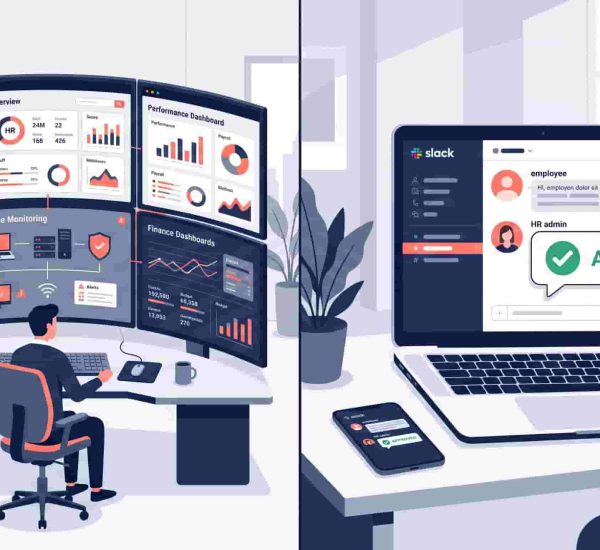
- Practical Example: An employee types pto next Monday into Slack. The system instantly logs the request, calculates the requested hours against company policy, and routes it to the designated manager.
- How modern HR teams handle it: Leading organizations deploy dedicated PTO software integrated into their internal communication apps, creating a seamless, paperless time off request lifecycle.
2. Leave Approvals
- What it is: The management and verification step where team leads review, accept, or deny time-off submissions.
- Why manual causes problems: Busy managers let requests sit in their inbox for weeks, causing employee anxiety and stalling sprint planning.
- What automation looks like: Automated alerts ping the manager directly with interactive buttons (“Approve” or “Deny”) along with a view of team availability for that period.
- Practical Example: A manager receives a Microsoft Teams interactive card showing that two other engineers are already out on the requested date, allowing them to coordinate coverage before clicking approve.
- How modern HR teams handle it: Teams utilize an intelligent leave management system that ensures a structured leave policy is maintained automatically, protecting business operational continuity.

3. Employee Attendance Tracking
- What it is: Recording the clock-in, clock-out, and active operational hours of non-exempt, hourly, or hybrid employees.
- Why manual causes problems: Manual sign-in sheets or retrospective logs encourage time theft, cause payroll inaccuracies, and lead to compliance failures under local labor standards.
- What automation looks like: A centralized bot captures real-time clock-ins and clock-outs from the messaging platform the team is already using.
- Practical Example: A remote customer support rep types in or clicks a button in Slack when they start their day, and the system automatically flags their active status.
- How modern HR teams handle it: Modern organizations automate attendance tracking directly inside Slack and Microsoft Teams using tools like AttendanceBot, giving employees an easy way to clock in and out while providing managers with real-time visibility, accurate records, and streamlined reporting.
4. Time-Off Balance Tracking
- What it is: The continuous accounting of an employee’s earned, used, and remaining vacation or sick leave allotments.
- Why manual causes problems: Manual spreadsheets require painstaking updates every pay period, leading to accounting errors and constant interruptions from staff asking, “How many days do I have left?”
- What automation looks like: The system applies your exact mathematical policies behind the scenes, recalculating balances in real time with every accrual cycle.
- Practical Example: An employee pulls up their current balances inside their chat window instantly, checking their remaining time before booking a flight.
- How modern HR teams handle it: People operations configure automated vacation accrual matrices to calculate balances dynamically, minimizing disputes regarding whether they have to pay out PTO during transitions.
5. Sick Leave Reporting
- What it is: The sudden notification and documentation required when an employee is unable to work due to illness or medical needs.
- Why manual causes problems: Last-minute text messages or phone calls to individual managers leave HR completely in the dark, disrupting payroll and team coverage plans.
- What automation looks like: The employee triggers a sick leave notice from their phone, which updates their status, alerts their direct manager, and logs the absence to HR simultaneously.
- Practical Example: A sick employee accesses their chat app at 7:00 AM, logs an unplanned absence, and the bot automatically adjusts their team’s schedule and calendar visibility.
- How modern HR teams handle it: HR leaders establish clear, automated sick leave processes that ensure compliance and empathy in remote work settings while avoiding unnecessary friction like doctor’s note collection for short-term absences.
6. Employee Check-Ins
- What it is: Routine operational updates or status logs designed to identify team roadblocks and maintain alignment.
- Why manual causes problems: Synchronous morning meetings waste hours of collective focus, while manual email round-robins rarely get consistent participation.
- What automation looks like: Asynchronous check-in prompts run on a schedule, gathering quick status updates and displaying them clearly to the entire team.
- Practical Example: Every morning at 9:15 AM, a bot pings the engineering department asking for their focus items and blockers, compiling a clean summary for leadership.
- How modern HR teams handle it: High-velocity organizations rely on an asynchronous daily standup Slack template, prompting the exact daily standup questions needed to maintain momentum without micromanaging.
7. Shift Scheduling
- What it is: Building and sharing weekly or monthly timetables for shift-based or front-line workforces.
- Why manual causes problems: Building schedules on physical boards or Excel sheets leads to double-bookings, accidental compliance violations, and intense manager frustration.
- What automation looks like: Drag-and-drop digital visual matrices that automatically alert staff of new schedules and cross-reference labor restrictions.
- Practical Example: A manager publishes the monthly schedule online, and the system sends tailored notifications directly to each employee’s preferred device.
- How modern HR teams handle it: Modern organizations use digital scheduling tools to manage shifts, track availability, and coordinate schedule changes more efficiently. Solutions like AttendanceBot help teams streamline scheduling workflows directly within Slack and Microsoft Teams.
8. New Employee Onboarding
- What it is: Providing new hires with required paperwork, hardware provisioning, culture details, and introductory connections.
- Why manual causes problems: Crucial configuration steps get skipped, leaving new hires sitting around on day one without passwords, equipment, or direction.
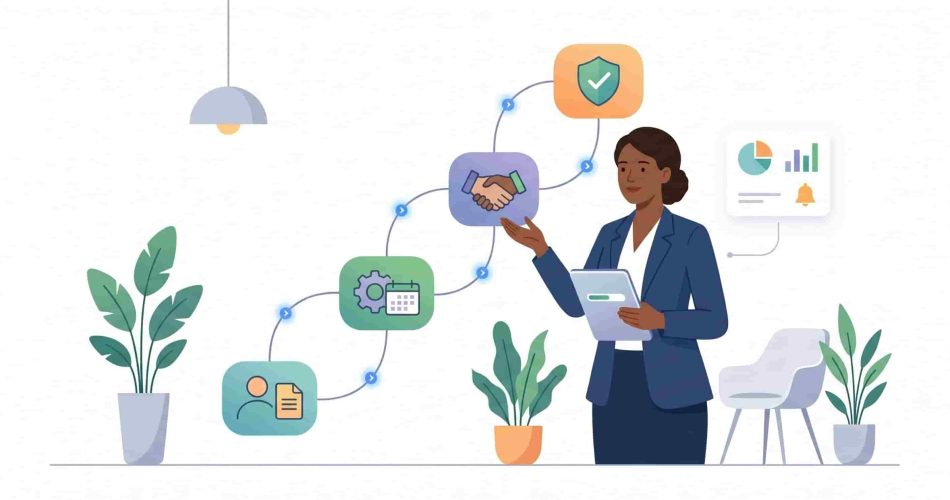
- What automation looks like: A triggered digital workflow assigns tasks to IT, HR, and managers automatically, walking the new hire through a structured milestone journey.
- Practical Example: Once a contract is signed, the platform schedules a new hire introduction email, provides workspace access, and sets up training tracks automatically.
- How modern HR teams handle it: People operations leaders optimize ramp-up velocity by combining automated onboarding sequences with hands-on, structured on-the-job training programs.
9. Policy Acknowledgements
- What it is: Collecting and recording formal electronic signatures confirming that employees have reviewed and accepted company handbook revisions or compliance codes.
- Why manual causes problems: Chasing down physical forms or searching through email threads leaves companies completely exposed during regulatory labor audits.
- What automation looks like: The system pushes the updated text to the team and logs compliance data automatically the moment an employee clicks the confirmation prompt.
- Practical Example: When an expanded data security protocol rolls out, the tool sends it directly to every worker, maintaining a precise timestamped audit log of all sign-offs.
- How modern HR teams handle it: Teams build an ironclad HR compliance infrastructure by utilizing digital verification channels, eliminating administrative tracking entirely.
10. Employee Directory Updates
- What it is: Maintaining up-to-date documentation on job titles, department mappings, phone numbers, and direct reporting lines.
- Why manual causes problems: Outdated internal directories lead to misdirected messages, organizational confusion, and inaccuracies in payroll or provisioning records.
- What automation looks like: Profile adjustments sync across all connected ecosystems instantly the moment an HR manager processes a promotion or department switch.
- Practical Example: Changing a title from Associate to Manager in your core system immediately updates the company org chart and chat profile data without secondary entry.
- How modern HR teams handle it: Modern organizations rely on a unified cloud HRIS architecture to maintain accurate, high-visibility records across the entire HR department structure.
11. Timesheet Collection
- What it is: Gathering weekly or bi-weekly hours-worked records from employees to review and submit for payroll processing.
- Why manual causes problems: HR teams waste hours every single payroll cycle sending desperate reminders to tardy employees and fixing basic mathematical entry mistakes.
- What automation looks like: The platform locks timesheets on a set schedule, performs automated calculations, and routes them to managers for immediate review.
- Practical Example: At 5:00 PM on Friday, the platform evaluates an employee’s activity logs, generates an accurate employee timesheet, and requests review with zero manual intervention required.
- How modern HR teams handle it: Fast-scaling operations combine automated timesheet software with contextual, highly effective timesheet reminders to guarantee timely data submissions without manual nagging.
12. Overtime Monitoring
- What it is: Tracking hours worked beyond the standard weekly threshold to identify labor costs and maintain statutory compliance.
- Why manual causes problems: Discovering excessive overtime only after payroll is calculated creates unexpected budget deficits and invites costly legal exposure.
- What automation looks like: Automated alerts trigger the moment an employee approaches daily or weekly overtime thresholds, notifying management in real time.
- Practical Example: If a non-exempt worker approaches 38 hours mid-week, their manager receives a prompt to adjust project pacing and prevent costly overtime overhead.
- How modern HR teams handle it: Modern organizations use automated overtime tracking to monitor employee hours in real time, helping managers control labor costs, maintain accurate records, and stay compliant with local labor regulations.
13. Work-From-Home Requests
- What it is: Managing the coordination, tracking, and manager approvals for hybrid employees choosing to work remotely on specific days.
- Why manual causes problems: Without centralized tracking, office desks sit empty, client meetings are disrupted, and spatial capacity management becomes impossible.
- What automation looks like: An interactive hybrid work coordinator handles desk bookings, tracks location footprints, and logs remote days transparently.
- Practical Example: An employee requests a remote day for tomorrow; the platform reviews team coverage limits, updates the shared team view, and modifies their status automatically.
- How modern HR teams handle it: Teams outline clear expectations through a modern work-from-home policy integrated with active software built for remote work.
14. Employee Announcements
- What it is: Broadcasting crucial enterprise news, policy shifts, structural changes, or cultural celebrations across the organization.
- Why manual causes problems: Massive mass-emails end up ignored, buried in junk folders, or failing to reach relevant segmented groups altogether.
- What automation looks like: Smart publishing queues distribute announcements across dedicated channels on a scheduled cadence, complete with analytics tracking reader engagement.
- Practical Example: HR schedules an announcement regarding open enrollment; the engine distributes it across relevant regional channels and highlights actionable deadlines clearly.
- How modern HR teams handle it: Internal communications champions organize their strategic workflows around broad corporate communication frameworks and deploy reliable employee communication apps.
15. HR Help Desk Requests
- What it is: Reviewing, sorting, answering, and prioritizing incoming employee questions about benefits, payroll updates, or general workplace policies.
- Why manual causes problems: HR teams waste valuable mindshare answering the exact same policy questions over and over, while complex issues slip through the cracks.
- What automation looks like: An intelligent conversational portal provides instant self-service answers to basic inquiries and automatically escalates complex issues into a structured tracking queue.
- Practical Example: An employee asks, “What is our dental group number?” The bot pulls the response instantly from your uploaded knowledge database, resolving the ticket instantly.
- How modern HR teams handle it: People operations design seamless employee experiences by leveraging powerful apps like OfficeAmp to power up Slack for HR and launching extensive employee self-service capabilities
16. Exit Process Management
- What it is: Managing offboarding logistics including corporate equipment returns, account de-provisioning, payroll terminations, and final feedback collection.
- Why manual causes problems: Retaining active software licenses for departed employees drains your budget, while unreturned hardware and unrevoked network access present significant security vulnerabilities.
- What automation looks like: Offboarding triggers launch synchronized tasks across IT, Finance, and Security departments the moment a departure date is logged.
- Practical Example: When an employee’s final date is confirmed, the system schedules automated equipment return shipping and revokes systems access precisely at 5:00 PM.
- How modern HR teams handle it: Progressive HR leaders strengthen data security and continuity by implementing a structured employee offboarding process, pairing it with well-designed exit interview questions to ensure every departure is handled consistently, securely, and with actionable feedback captured for continuous improvement.
17. Employee Surveys
- What it is: Gathering consistent data on workforce sentiment, psychological safety, and organizational engagement trends.
- Why manual causes problems: Sending occasional massive survey spreadsheets yields low participation rates, produces outdated data, and fails to surface anonymous workplace issues in time to address them.
- What automation looks like: Automated, low-friction micro-pulse surveys trigger right within team messaging channels, gathering quick feedback effortlessly.
- Practical Example: Every month, a bot anonymously asks employees to rate their current sentiment on a scale of $1$ to $10$, updating leadership with real-time health metrics.
- How modern HR teams handle it: Employee experience practitioners use automated checks to calculate the company’s eNPS score and coordinate detailed 360-degree feedback loops.
18. Recurring HR Reports
- What it is: Regular statistical summaries compiled for leadership, analyzing trends like monthly absence rates, total overtime costs, and resource utilization.
- Why manual causes problems: Compiling raw data, cleaning spreadsheet rows, and building charts manually takes hours every month, resulting in backward-looking reports that rarely drive strategic decisions.
- What automation looks like: Clean reporting engines pull data directly from daily workflows, delivering visual analytics dashboards to stakeholders on a set schedule.
- Practical Example: On the first day of every month, executives automatically receive an analytics breakdown detailing absence patterns, total billable hours, and overtime metrics.
- How modern HR teams handle it: People operations leaders optimize their strategies by leveraging automated data pipelines that connect time tracking and productivity metrics with broader workforce management systems, enabling more accurate insights and faster, data-driven decision-making.
19. Manager Approval Workflows
- What it is: The cross-department routing required for organizational decisions like expense approvals, title adjustments, or new hiring budgets.
- Why manual causes problems: Requests get lost in busy email inbox threads, delaying key decisions and causing friction across departments.
- What automation looks like: Conditional routing paths send approval requests directly to the right manager’s chat window, complete with interactive choices based on the specific request.
- Practical Example: An operations manager requests a budget exception; the platform verifies it against corporate spending limits and routes a choice button to the director instantly.
- How modern HR teams handle it: Fast-moving organizations empower leaders by streamlining decision-making with structured HR workflows and leveraging clean, contextual Slack reminders and automated triggers to keep approvals and actions moving without delays.
Frequently Asked Questions (FAQs)
1. What are HR processes?
HR processes are the operational workflows that manage an employee’s entire lifecycle within an organization. They include recruiting, onboarding, time-tracking, payroll administration, compliance management, performance reviews, and offboarding. In small to mid-market companies, these processes can become heavy administrative burdens if managed manually. Modern people operations focus on standardizing these workflows to ensure compliance and accuracy across different jurisdictions, like the US, UK, Canada, and Australia.
2. What HR processes should be automated first?
The best HR processes to automate first are high-volume, rule-based tasks that don’t require complex human judgment. PTO requests, leave approvals, attendance tracking, and timesheet collections offer the fastest returns on investment. Automating these areas immediately removes manual friction for both employees and managers, frees up HR professionals to focus on strategic work, and reduces human error in payroll calculations.
3. What is HR workflow automation?
HR workflow automation uses intelligent software to handle repetitive, manual human resource tasks without requiring human intervention. It connects systems to route requests, calculate balances, send reminders, and sync information based on preset rules. For example, instead of an HR manager manually entering vacation hours into a spreadsheet, an automated system logs the request from chat, checks the employee’s balance, alerts the manager, and updates payroll records automatically.
4. How does HR automation improve efficiency?
Automation improves efficiency by removing bottlenecks, manual data entry, and continuous follow-up emails. Tasks that once took hours—like collecting timesheets or chasing managers for approvals—happen instantly or run on automated schedules behind the scenes. This minimizes payroll errors, prevents compliance issues, and gives People Ops teams more time to focus on high-impact projects like talent acquisition, company culture, and employee retention strategies.
5. Can small businesses automate HR processes?
Yes, small and mid-market businesses benefit significantly from automating HR processes. Because small teams have limited HR staff, manual tasks like tracking time off in spreadsheets can quickly overwhelm operations. Using light, chat-based automation tools inside Slack or Microsoft Teams lets growing companies run institutional-grade workflows without the high costs or long deployment timelines of complex legacy HR enterprise software.
Conclusion
The future of HR isn’t about managing spreadsheets, chasing approvals, or spending hours on administrative work. It’s about creating efficient systems that allow HR professionals to focus on people, culture, and business growth.
As organizations continue to scale hybrid and distributed teams in 2026, automating repetitive workflows like PTO requests, leave approvals, attendance tracking, employee check-ins, timesheets, and scheduling becomes essential. The less time teams spend on manual processes, the more time they can invest in employee experience, engagement, and strategic initiatives.
Modern solutions like AttendanceBot make this transition easier by bringing HR automation directly into Slack and Microsoft Teams. Instead of forcing employees to switch between multiple systems, teams can manage time off, attendance, scheduling, and approvals where work already happens.
The organizations that thrive in the years ahead won’t be the ones working harder to manage HR operations—they’ll be the ones building smarter, automated workflows that empower both employees and managers while reducing administrative burden across the business.