
Calamari is a well-liked leave and attendance tool. It holds a 4.7 rating from more than 600 reviews on Capterra, and its Slack and Teams apps let people request leave and clock in without opening another tab. So why are so many teams searching for Calamari alternatives?
Usually it comes down to fit. Calamari is a modular HR platform, so you pay per module, per employee, and the account minimum is a 10-seat subscription. Some teams want everything in one price. Some only need a simple leave calendar. And some want their whole day (leave, clock-ins, shifts and office days) to live inside the chat app they already use.
What are the best Calamari alternatives? The best Calamari alternatives for Slack and Microsoft Teams users in 2026 are AttendanceBot, Vacation Tracker, Timetastic and Factorial. AttendanceBot suits teams that want leave, time tracking, shifts and hybrid planning inside chat from $4 per user per month. Vacation Tracker and Timetastic suit leave-only needs, and Factorial suits companies that want a full HR suite with payroll-adjacent features.
Calamari Alternatives at a Glance
| Tool | Best for | Starting price | Slack | Microsoft Teams | Free option |
|---|---|---|---|---|---|
| AttendanceBot | Leave, time tracking, shifts and hybrid work in chat | $4/user/month (annual) | Yes | Yes | Free up to 5 users |
| Vacation Tracker | Leave tracking for Slack, Teams and Google Workspace teams | $2/user/month ($50 monthly minimum) | Yes | Yes | 14-day trial |
| Timetastic | Simple shared absence calendar | $1.50/user/month | Business and Pro plans | Pro plan | 30-day trial |
| Factorial | All-in-one HR suite with add-on modules | From $8/user/month | Check with vendor | Check with vendor | Quote-based |
| Calamari (for reference) | Modular HR with leave and clock-in modules | About $2/user/month per module (annual) | Yes | Yes | 14-day trial |
Prices are taken from each vendor’s public pricing page in November 2026 and can change, so confirm before you buy.
Why Teams Look for Calamari Alternatives
Calamari prices each module separately, starting around $2 per employee per month for Time Off and about $2.50 for Time and Attendance on yearly billing, according to its pricing page. For a 40-person team that wants both modules, that is roughly $180 a month before any add-ons, which is fair value for many companies but more than a team needs if it only wants leave and clock-ins.
Setup is the other theme. Calamari’s reviewers praise its clean interface and responsive support, but several mention that initial configuration of complex leave policies takes patience. If your team wants something running in an afternoon, or wants every action to happen in chat rather than in a separate web dashboard, it makes sense to compare a few options. Our guide on how to compare and evaluate time tracking apps walks through the questions worth asking before you switch.
1. AttendanceBot: Leave, Time and Shifts Inside Slack and Teams
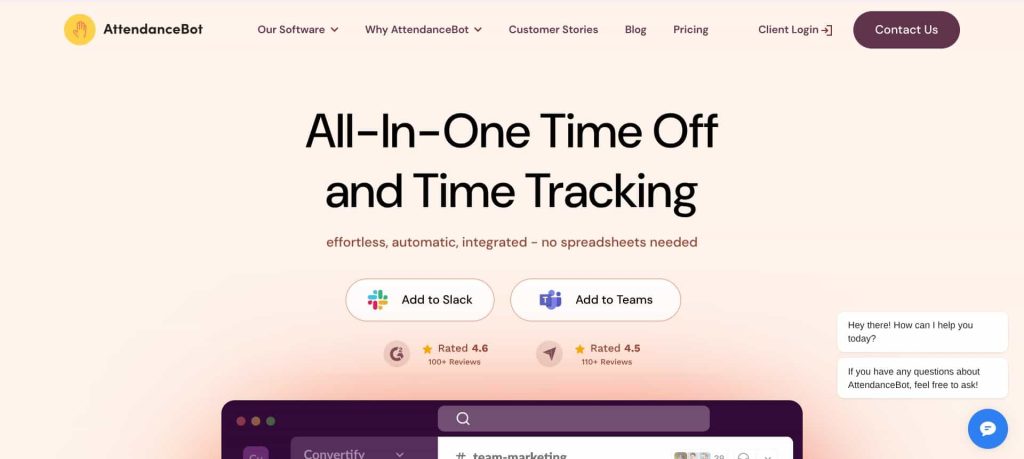
AttendanceBot runs entirely inside Slack and Microsoft Teams. Employees request time off, clock in and out, log breaks and check their balances by sending a quick message, and managers approve requests right in the thread. It covers leave and absence management, time tracking, shift scheduling and hybrid office planning in one product instead of separate modules. As a Calamari alternative, the big difference is that everything happens in the chat app instead of a separate HR portal.

Here is what that looks like on a normal Monday. At 8:05, Daniel, a designer at a 30-person agency, types “sick today” to AttendanceBot from his phone. The sick day is logged against his balance, his Slack status updates, his manager gets a notification, and by 8:06 the team channel shows he’s out, so nobody pings him about the client call. Priya, the office manager, doesn’t touch a spreadsheet at all.
Pricing starts at $4 per user per month on annual billing for the Standard plan, which includes time tracking, custom leave types with approvals, hybrid planning and calendar sync. The Pro plan at $6 per user per month adds leave accruals and balances, timesheet approvals, project and client tracking, and shift rostering. Teams of up to 5 users can use it free. AttendanceBot is SOC 2 Type 2 certified and syncs approved hours to Gusto and QuickBooks Online for payroll.
It’s rated 4.5 out of 5 from 115 reviews on Capterra. If you’re weighing it against another chat-first tool, our Vacation Tracker vs AttendanceBot breakdown goes feature by feature.
Want leave and clock-ins in the same Slack message thread? Try AttendanceBot free for 14 days. Rated 4.5 on Capterra by 115 reviewers.
2. Vacation Tracker: Focused Leave Tracking for Chat-Based Teams
Vacation Tracker is a dedicated leave tool that works with Slack, Microsoft Teams and Google Workspace. It handles leave requests, approvals, balances and a shared calendar, and it’s a natural fit for teams that want a focused PTO tool rather than a broader HR platform. If you want a Calamari alternative that only does leave, this is the closest match.
Its Core plan is $2 per user per month with a $50 monthly minimum, and the Complete plan is $4 per user per month with a $100 minimum, which adds unlimited locations and departments. A 14-day trial needs no credit card. Because of the monthly minimums, very small teams pay the floor price, while teams of 25 or more get closer to the headline per-user rate. We compared it with other options in our roundup of Vacation Tracker alternatives for Slack.
3. Timetastic: A Simple Absence Calendar for Small Teams
Timetastic is built around one job: showing who is off and when. Its Business plan costs $1.50 per user per month and covers a shared absence calendar, allowance records, approvals and mobile apps. The Pro plan at $2.50 adds booking limits, absence trends and reports, and a Rota and Time Clock plan at $5.50 adds shift building and clock-ins. As a Calamari alternative, it trades features for simplicity, which is the point for small teams.
Integrations vary by plan, which is worth checking before you commit. Slack is listed for Business and Pro, Microsoft Teams only for Pro, and neither appears on the Rota and Time Clock plan. Every plan comes with a 30-day free trial and month-to-month billing. Timetastic works well for teams that mostly need visibility, like the leave types covered in our guide to types of leave, without timesheets.
4. Factorial: A Full HR Suite with Time Off Built In
Factorial is an all-in-one HR platform. Every plan includes Factorial Core (employee directory, onboarding and offboarding, documents and e-signature), and you add modules such as Time Off, Time Tracking, Shift Management, Performance and Expenses. Pricing starts at $8 per user per month, with tailored quotes for larger setups. Among Calamari alternatives, it is the heaviest option, so it only makes sense if you want one HR system for everything.
Factorial makes sense when leave is one piece of a bigger HR project, for example replacing several tools at once. It’s a heavier lift than a chat-based tool, so smaller teams that mainly want time off requests and approvals may find it more than they need. Our BambooHR alternatives guide covers more full-suite options.
How to Choose the Right Calamari Alternative
Start with where your team spends its day. If most conversations happen in Slack or Teams, a chat-first tool will see far more use than a dashboard people have to remember to open. Our look at how Slack leave management saves 40+ admin hours a month shows why that adoption gap matters. Whichever Calamari alternative you pick, run it with a small team for a week before rolling it out to everyone.
Next, count the jobs you need done. If it’s only leave, Vacation Tracker or Timetastic will cover it cheaply. If you also need employee timesheets, an employee time clock app or shift rosters, one tool that does all three usually costs less than stacking modules. Finally, check the policy details, such as accrual rules, carryover and time off in lieu, against the plan you’d actually buy, since these often sit on higher tiers. A clear PTO policy written first makes this comparison much faster.
For a wider list, see our picks for the best leave management software for small businesses and our PTO software comparison. Teams on Microsoft 365 can also follow our leave management in Microsoft Teams setup guide.
FAQs
What Is the Best Alternative to Calamari for Slack?
For Slack teams that want leave, clock-ins, shifts and office days in one place, AttendanceBot is the closest all-in-one alternative, starting at $4 per user per month on annual billing and free for up to 5 users. For leave tracking only, Vacation Tracker is a strong Slack-first option from $2 per user per month.
Is There a Cheaper Alternative to Calamari?
Timetastic starts at $1.50 per user per month for a shared absence calendar, and Vacation Tracker starts at $2 per user per month with a $50 monthly minimum. For teams of 5 or fewer, AttendanceBot is free.
Does Calamari Work with Microsoft Teams?
Yes. Calamari offers Slack and Microsoft Teams integrations for leave requests and clock-ins. AttendanceBot, Vacation Tracker and Timetastic’s Pro plan also integrate with Teams.
Can I Track Leave and Attendance in the Same Tool?
Yes. Calamari splits leave and attendance into separate modules, while AttendanceBot includes time tracking and leave on its Standard plan and adds accruals, timesheet approvals and shift rostering on Pro.
Ready to stop chasing leave requests across email and spreadsheets? See AttendanceBot pricing and start your free trial, no credit card needed. Used by teams in Slack and Microsoft Teams and rated 4.5 on Capterra.