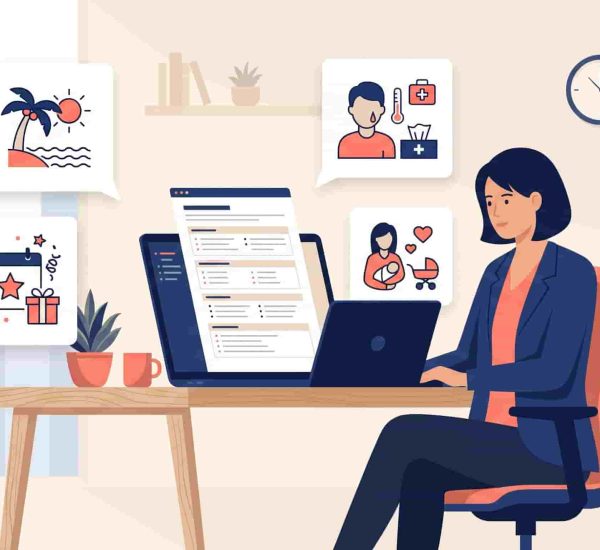
There’s a version of employee attendance tracking that destroys trust before it delivers any insight.
You’ve probably seen it: badge scanners that log every entry and exit, screenshot software that fires every ten minutes, activity trackers that flag employees for moving their mouse too slowly. These tools promise visibility. What they actually produce is a workforce that feels surveilled, spends energy performing productivity instead of delivering it, and starts quietly updating their CVs.
In 2026, this tension is more acute than ever. Many recent study found that most companies have already implemented badge tracking and attendance monitoring systems, and pushback from employees has been significant. At the same time, HR leaders managing hybrid and remote teams genuinely need to know who’s working, when, and whether coverage is maintained. That’s not surveillance. That’s an operational necessity.
The difference between micromanagement and effective employee attendance tracking isn’t the data you collect. It’s the intent behind it, the tools you use, and the culture you build around it. This guide covers how to get attendance visibility without sacrificing the trust that makes your team want to show up in the first place.
Employee attendance tracking in 2026 means capturing when and where people work without creating a surveillance culture that damages trust. The best approach combines a clear attendance policy, automated check-ins inside Slack or Microsoft Teams, and reporting that gives managers visibility without micromanaging individuals. Tools like AttendanceBot track attendance passively inside Slack, no timecards, no monitoring software, no friction.
TL;DR, Quick Summary
- Attendance tracking and employee monitoring are not the same thing; the distinction matters
- A clear attendance policy removes ambiguity before it becomes conflict
- Automated Slack-based check-ins track attendance without adding friction to anyone’s day
- Attendance data is most valuable as a team-level trend, not an individual surveillance tool
- AttendanceBot tracks time, leave, and check-ins inside Slack, no separate software, no monitoring
Why Attendance Tracking Still Matters in 2026
Before addressing how to track attendance well, it’s worth being clear about why it matters, because a lot of the resistance to attendance tracking comes from tools that conflate tracking with surveillance.
Coverage and Scheduling Depend on It
For any team with shift coverage, client-facing hours, or time-zone coordination requirements, knowing who is working when isn’t optional. A customer support team with unexpected absences creates service gaps. A project team with overlapping leave creates delivery risk. Attendance management at the team level is a scheduling and planning function, not a trust issue.
Payroll Accuracy Requires It
For hourly workers, contractors, or teams where overtime tracking matters, accurate time records are a legal and financial requirement. Manual timesheets are error-prone and time-consuming. Automated attendance tracking eliminates both problems simultaneously.
Absence Patterns Are Early Warning Signs
Attendance data, analyzed at the aggregate level, surfaces patterns that HR teams would otherwise miss. A spike in sick days within a specific team during a specific period might indicate burnout, a difficult manager situation, or a workload problem that needs addressing before it becomes a retention crisis. The data doesn’t judge, it flags.
Remote and Hybrid Teams Need Structure to Function
When everyone worked in the same office at the same hours, attendance was self-evident. In a hybrid team with employees across multiple time zones, the absence of structure creates confusion about availability, coverage, and accountability. A lightweight attendance system replaces the visibility that physical presence used to provide, without requiring physical presence.

The Difference Between Tracking and Monitoring
The reason so many employees react negatively to employee attendance tracking is that they’ve experienced it as monitoring, a system designed to catch them doing something wrong rather than help the team function better.
These are genuinely different things.
Tracking captures basic facts about when people are working, clock-in and clock-out times, leave requests, and check-in status. It’s the operational data needed to manage schedules, process payroll, and maintain coverage.
Monitoring goes further: screenshots, keystroke logging, application usage tracking, and location surveillance. It captures behavioral data designed to assess whether an employee is working hard enough at any given moment.
For most small and mid-sized businesses, tracking is sufficient and appropriate. Monitoring introduces a level of surveillance that damages psychological safety, increases anxiety, and signals distrust, all of which reduce the engagement and productivity it’s supposedly designed to improve.
The tools you choose signal which category you’re in. A Slack bot that lets employees check in with a message falls into tracking. Software that takes random screenshots of the screen every few minutes falls into monitoring. The operational outcomes are very different, and so is the impact on your team culture.
Build an Attendance Policy Before You Build a System
The most common mistake in employee attendance management is implementing a tool before establishing a policy. The tool then becomes the policy by default, which means employees learn what’s expected from what gets flagged, not from what they were told.
Define What You’re Actually Tracking
Start by being explicit about what attendance means for your team. Is it specific clock-in and clock-out times? Availability within a window? Presence at certain meetings? Check-in status for async teams? The answers differ significantly across roles, teams, and work arrangements.
A customer support rep with scheduled coverage hours has very different attendance expectations than a developer working asynchronously across time zones. A single blanket attendance policy applied to both creates friction without improving outcomes for either.
Set Clear Expectations for Different Work Arrangements
Hybrid and remote teams need attendance policies that reflect their actual working reality. For in-office employees, core hours and presence expectations are straightforward. For remote employees, the equivalent clarity might be: available on Slack between 9 am and 5 pm local time, checking in each morning, and updating status when stepping away for more than 30 minutes.
Whatever the standard is, it should be written down, communicated clearly, and applied consistently. Attendance issues are significantly easier to address when the expectation is explicit from the start.
Separate Attendance Policy From Leave Policy
The attendance policy governs when someone is expected to be working. Leave policy governs when they’re authorized to be absent. These are related but distinct, and conflating them creates confusion. An employee who submits a PTO request and gets it approved isn’t violating the attendance policy. An employee who simply doesn’t show up without notification is.
Clear separation between the two prevents the uncomfortable situation where an employee who took approved leave gets flagged by an attendance system that doesn’t know the context.
How to Track Attendance Without Adding Friction
The best attendance tracking software for small businesses is the kind employees barely notice, because it fits into their existing workflow rather than requiring a separate system.
Use Slack or Microsoft Teams as the Interface
If your team already lives in Slack or Microsoft Teams, the lowest-friction attendance system operates inside those platforms. An employee who types “in” to a Slack bot at the start of their day and “out” at the end has clocked in and out without visiting a separate portal, downloading an app, or doing anything that feels like bureaucratic overhead.
AttendanceBot works exactly this way: employees check in and out directly inside Slack or Microsoft Teams using simple messages. Time is logged automatically, reports are generated for HR, and nobody has to context-switch out of their primary workspace to do it. You can read more about how this works in our guide on Slack leave management and how it saves 40+ admin hours a month.
Automate Reminders Instead of Manual Follow-Ups
One of the biggest sources of manager frustration with attendance tracking is chasing employees who forget to check in or submit timesheets. This manual follow-up is time-consuming, slightly awkward, and completely unnecessary with the right tool.
Automated reminders sent through Slack at the start and end of a shift, or when a timesheet deadline is approaching, handle the prompting without the social friction of a manager having to message someone individually. Employees who forget are reminded. Managers who used to chase are freed.
Let Employees Manage Their Own Records
Attendance systems that require HR to be the intermediary for every correction, update, or leave request create unnecessary bottlenecks. The best systems give employees direct access to view their own attendance records, check their leave balances, and submit requests without going through HR for basic information.
This self-service model reduces HR admin workload and gives employees the transparency they need to feel like the system is working for them, not on them.
Use Daily Standups as Light-Touch Check-Ins
For remote and hybrid teams, daily standup check-ins serve a dual purpose: they provide a lightweight attendance signal and a brief team coordination moment. When run through Slack asynchronously, they don’t require everyone to be available at the same moment and take less than two minutes per person.
AttendanceBot’s daily standup feature automates this entirely, prompting team members each morning, collecting responses, and posting a summary to a designated Slack channel. Managers get visibility into who checked in, what they’re working on, and whether anyone flagged a blocker, all without running a meeting.
How to Use Attendance Data Without Micromanaging Individuals
Collecting attendance data responsibly is one half of the equation. Using it without becoming the manager who monitors every login time is the other.
Focus on Team-Level Trends, Not Individual Timestamps
The most valuable insight from attendance tracking is rarely “Employee X was two minutes late on Tuesday.” It’s “this team has had three times the sick day rate of any other team over the past 60 days” or “overtime in this department has increased 40% since the new project launched.”
Team-level attendance patterns are early warning signals for burnout, workload imbalance, management problems, and engagement issues. Individual timestamps are useful for payroll accuracy and scheduling, not for performance judgment.
Train managers to look at the former. Don’t give them dashboards designed to obsess over the latter.
Use Attendance Data to Start Conversations, Not Draw Conclusions
When attendance data flags something worth investigating, such as an employee whose check-in patterns have shifted significantly or an unusual spike in sick days, the appropriate response is a conversation, not a disciplinary action.
Attendance changes are often symptoms of something else. An employee checking in late might be dealing with a childcare change, a health issue, or a commute problem. An employee with frequent sick days might be burning out under a workload that isn’t visible in any other data. The data tells you something might be worth discussing. It doesn’t tell you what to do about it.
Share Relevant Data With Employees
Transparency about what you’re tracking and what you’re doing with it is the single most effective way to prevent attendance tracking from feeling like surveillance. When employees can see their own records, understand how the data is used, and trust that it won’t be weaponized against them for minor inconsistencies, they stop worrying about it.
Managers who proactively share attendance summaries with their teams, “here’s our team’s leave usage this quarter, here’s where we stand on coverage for the next month”, normalize the data and make it a shared tool rather than a hidden one.
Common Attendance Tracking Mistakes to Avoid
Tracking for the Sake of Tracking
If you’re collecting attendance data but nobody is using it to make decisions, you’re adding friction to your team’s day for no operational benefit. Before implementing any attendance management system, be clear about what decisions the data will inform.
Applying the Same System to Every Role
A field sales team, a customer support team, and a product development team have fundamentally different attendance needs. A system designed for shift coverage doesn’t make sense for async knowledge workers. Build your attendance approach around how each team actually works.
Using Attendance as a Proxy for Productivity
Presence is not performance. An employee who checks in at 8:59 every morning and checks out at 5:01 is not necessarily more productive than one who works non-traditional hours but delivers consistently excellent output. Attendance data tracks when people work, not how well.
Using attendance records to make performance judgments without output data is the fastest way to build a culture that optimizes for looking busy rather than being effective.
Never Reviewing the Policy
Attendance policies written for a fully in-office team in 2020 are not the right policies for a hybrid team in 2026. The best attendance systems are reviewed annually, or whenever the team’s working arrangements change significantly, to make sure the policy still reflects how people actually work.

Frequently Asked Questions
What Is Employee Attendance Tracking?
Employee attendance tracking is the process of recording when employees are working, including clock-in and clock-out times, leave requests, check-in status, and absence patterns. Modern attendance tracking tools automate this process inside platforms like Slack or Microsoft Teams, eliminating manual timesheets and spreadsheets.
How Do I Track Remote Employee Attendance Without Micromanaging?
The key is choosing tools that capture attendance passively inside existing workflows rather than requiring active monitoring. Slack-based check-ins, async standup prompts, and automated leave tracking give HR teams the visibility they need without requiring employees to interact with surveillance software. Focusing on team-level patterns rather than individual timestamps also prevents tracking from becoming micromanagement.
What Is the Best Attendance Tracking Software for Small Businesses?
For small businesses running on Slack or Microsoft Teams, AttendanceBot is the most frictionless option. Employees check in and out directly inside their workspace, leave requests are automated, and managers get real-time team availability dashboards without any separate platform. You can book a free demo here.
Is Attendance Tracking Legal?
Yes, tracking when employees work is a standard and legal HR practice in virtually all jurisdictions. Some forms of monitoring beyond basic attendance, keystroke logging, screenshot capture, and location tracking have varying legal requirements depending on the country and state. Always review local employment law and disclose your tracking practices clearly in employment contracts and company policy.
How Do I Introduce an Attendance Tracking System Without Upsetting My Team?
Communicate clearly about what you’re tracking, why, and how the data will be used before implementing any system. Involve managers in the rollout. Choose a tool that fits naturally into existing workflows rather than requiring new behavior. Make employee records visible to the employees themselves. And commit publicly to using the data for operational planning, not individual surveillance.
Visibility Without Surveillance, It’s Possible
The goal of employee attendance tracking has never been to catch people doing something wrong. It’s to give HR teams and managers the information they need to run schedules, process payroll, and spot problems before they become crises, without creating a culture of anxiety in the process.
The right tool makes the difference. One that lives inside Slack or Teams, automates the tedious parts, gives employees visibility into their own records, and produces team-level insights rather than individual surveillance data, that’s the version of attendance tracking that actually works.
AttendanceBot does all of that, natively inside Slack and Microsoft Teams, for teams of any size.
Book a free demo and see how automated attendance tracking changes the way your HR team operates.